Every gift lands on the right donor.
The donation form, the payment account, the receipt, and the donor record are one system. An online gift arrives on the right donor, in the right fund, with a receipt already sent, and nobody re-keys anything.
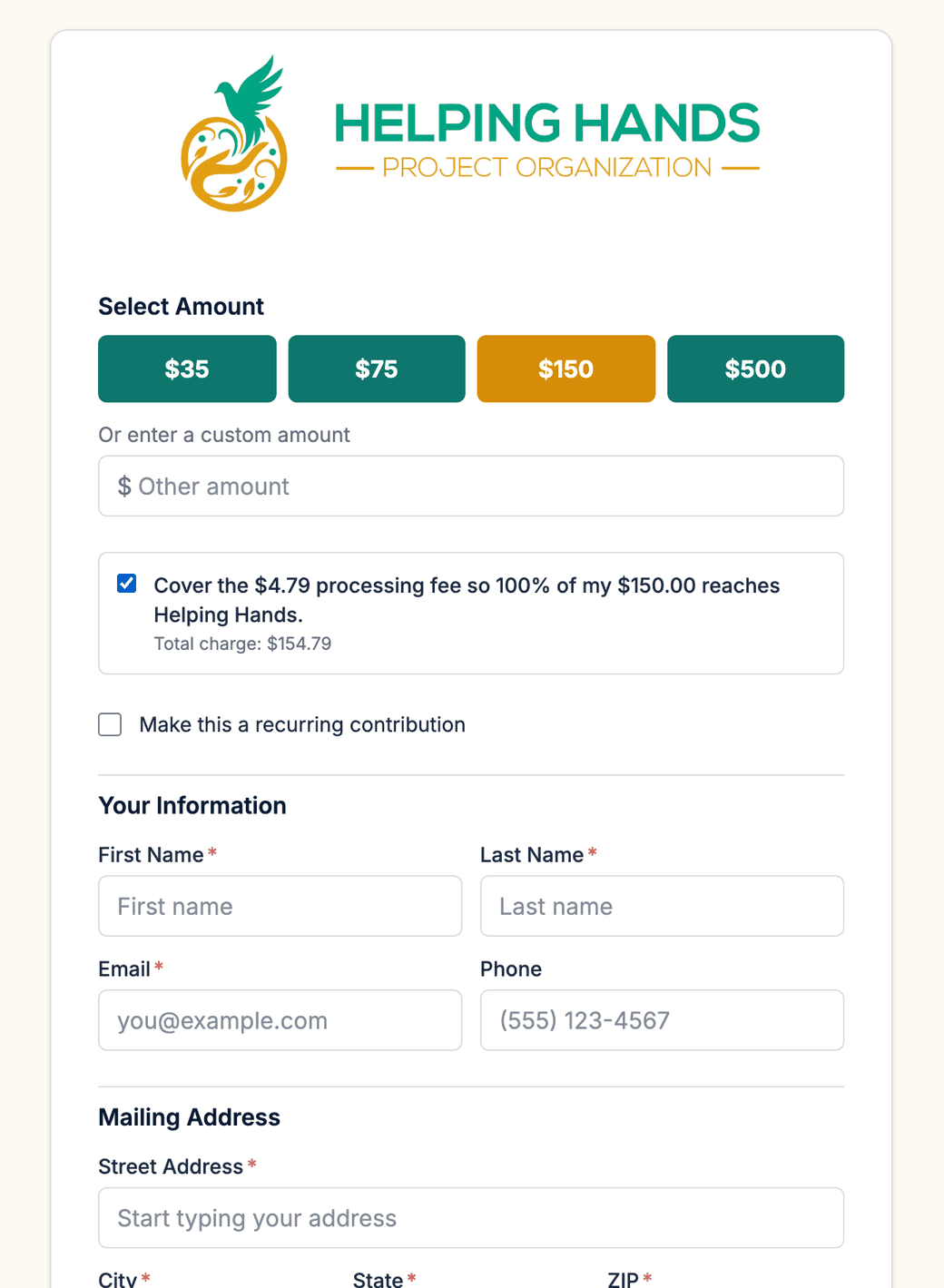
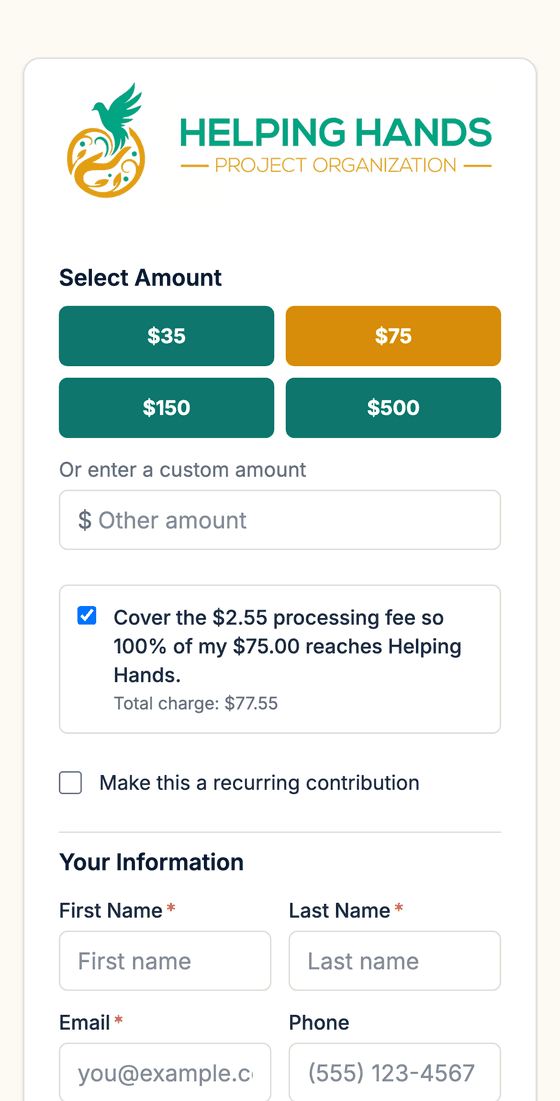
Your donation forms and your donor database are the same system — so a gift is filed the moment it is given.
Built for how your organization actually raises money.
Online gifts, mailed checks, foundation grants, and monthly donors all end up in one list, under the right legal entity.
Online gifts file themselves.
Each form knows its fund, its account, and its receipt. The gift is recorded on the donor's contact and the receipt is emailed, with nobody at the office.
One team, separate bank accounts.
Run a 501(c)(3), a 501(c)(4), and a PAC from one donor database. Each has its own payment account, so charitable and advocacy money never mix.
Foundation gifts credit the person.
When a donor gives through a community foundation or a donor-advised fund, the foundation's payment and the person's decision are both on record.
A new campaign page in minutes, with no code.
Pick the amounts, pick the colors, pick the fund, and publish. Every form has its own public link and can also sit inside your own website.
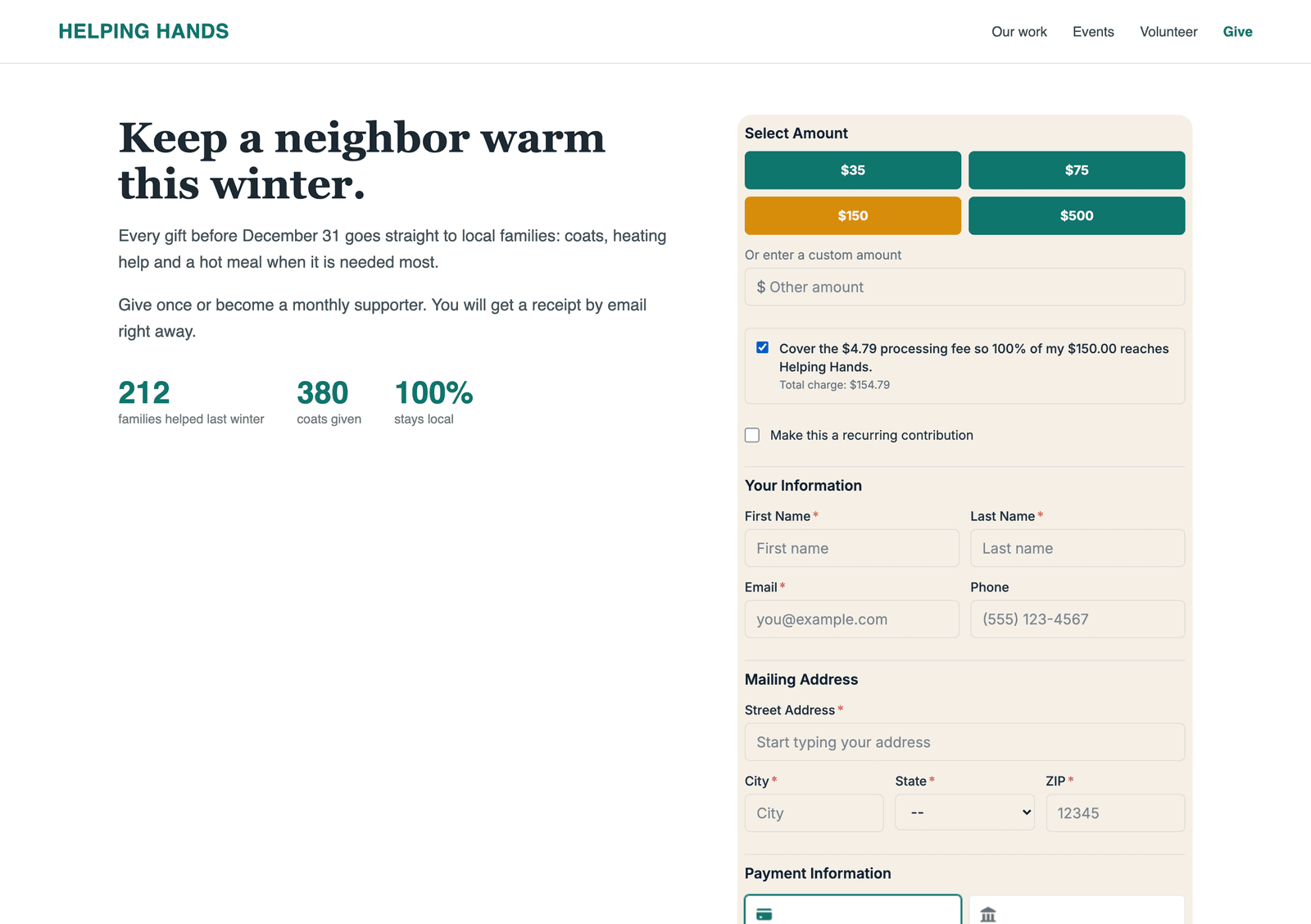
The donor never feels sent somewhere else.
Paste a short snippet into a web page and the form appears in place, in your colors. It resizes itself to fit, with no scroll bar.
- A transparent or colored background and rounded corners, to match the page
- A plain iframe version for websites that do not allow scripts
- You list which websites are allowed to show the form
- A shared link shows a preview card with your logo and headline
Give once, give monthly, choose a cause.
Suggested amounts as buttons, an option to cover the processing fee, and a recurring gift at the frequencies you allow. You can also let the donor choose where the gift goes, under a label you write.
- Apple Pay and Google Pay, where available
- Weekly, monthly, quarterly, or annual recurring gifts
- Employer and occupation fields, a disclaimer, and "paid for by" wording for political organizations
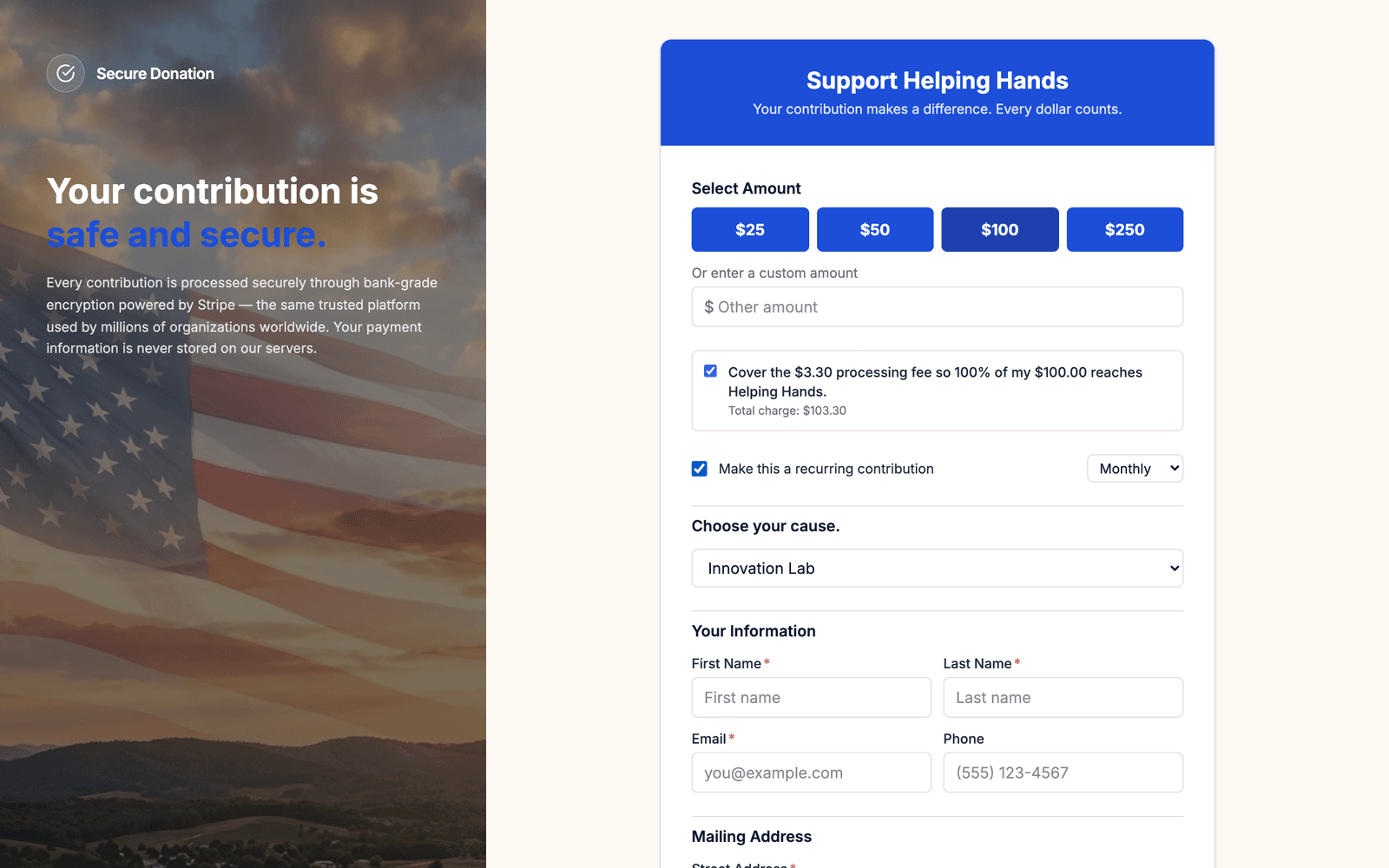
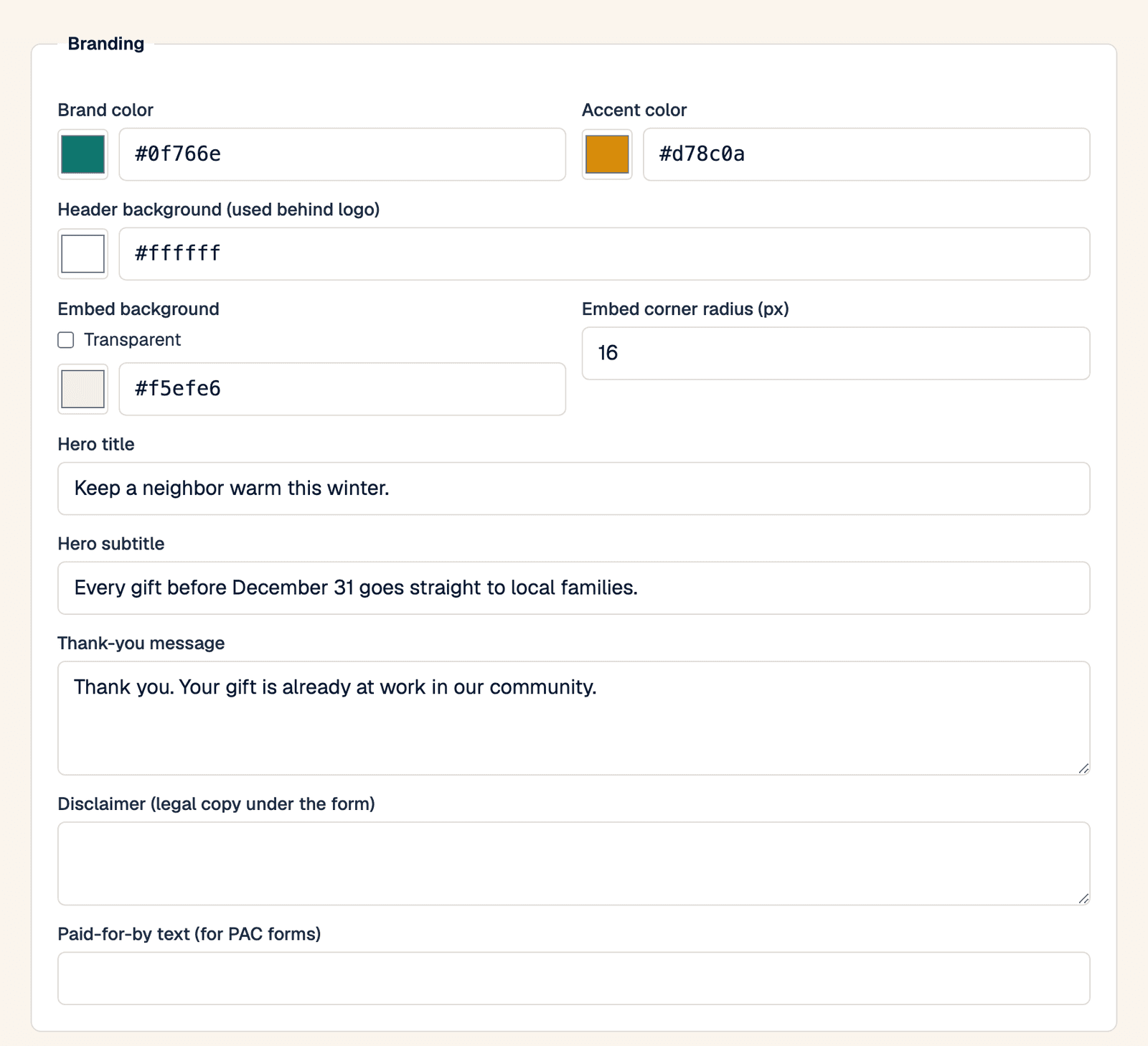
Your colors, your words.
Set the brand color, accent color, logo, background image, headline, and thank-you message for each form.
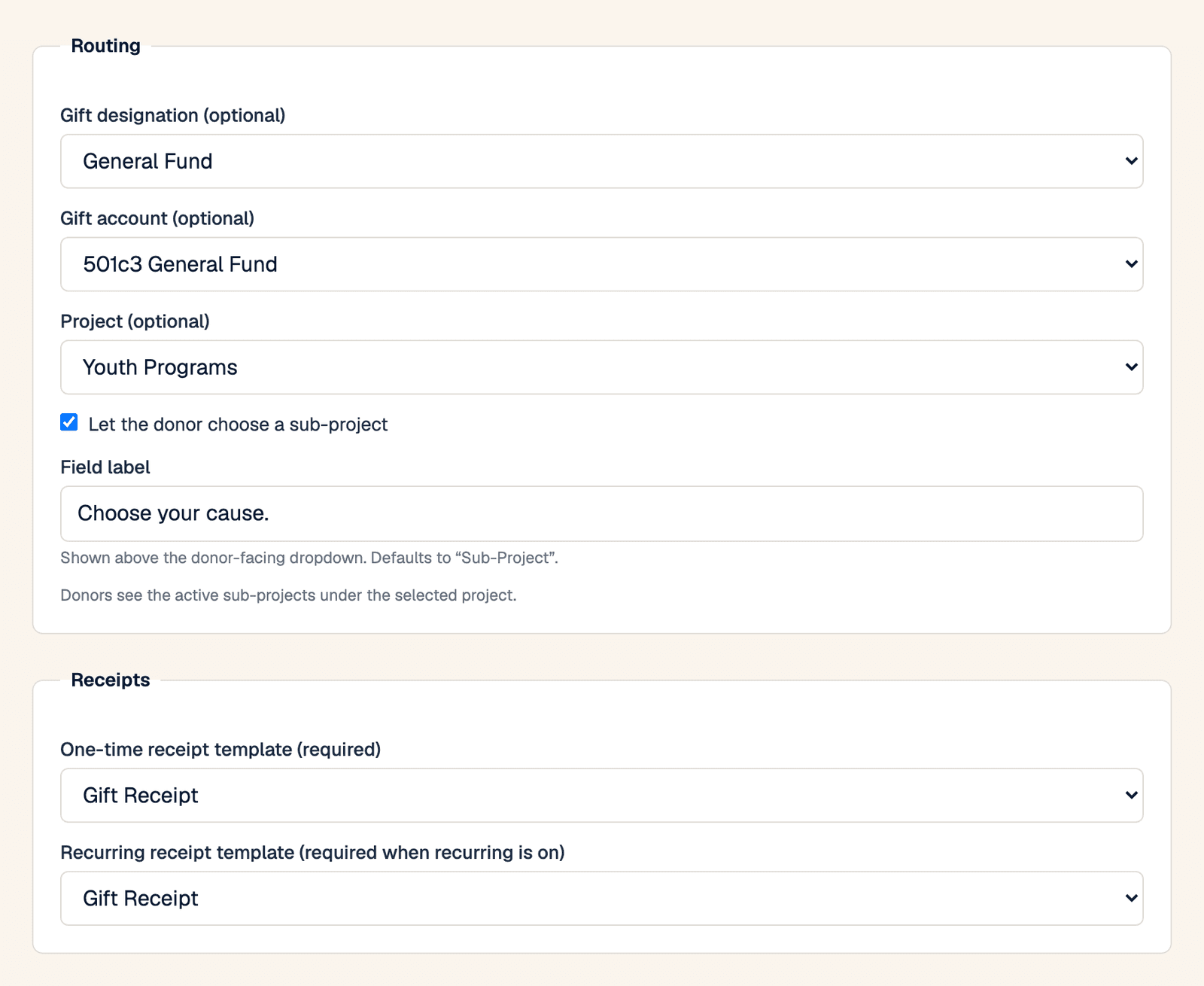
Every form knows where its gifts go.
Choose the designation, account, and project once. Every gift from the form is categorized automatically and sent the receipt you picked.
Every gift in one place.
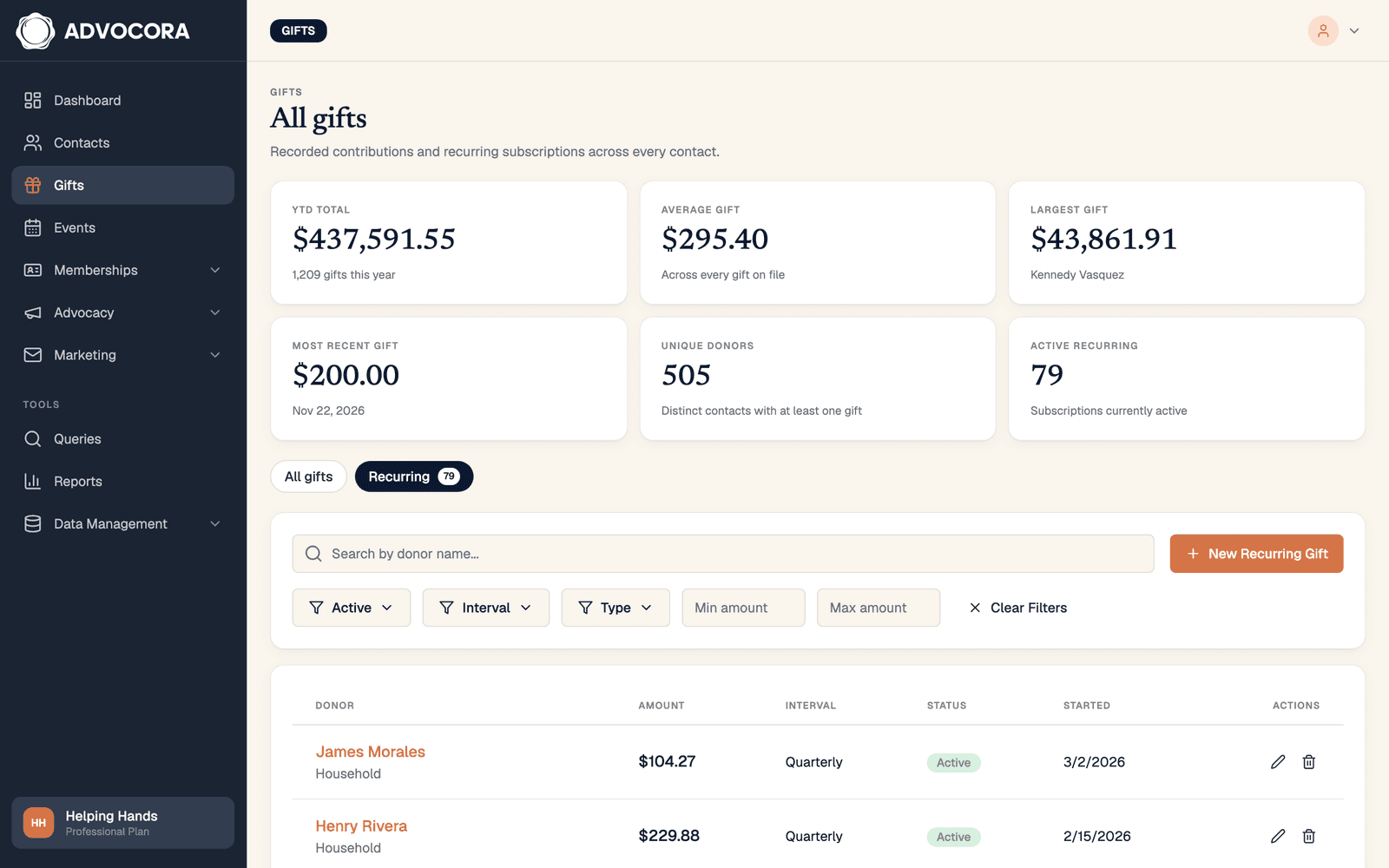
One list answers how much you have raised, from whom, and for what. Online and offline gifts sit in the same list and the same totals.
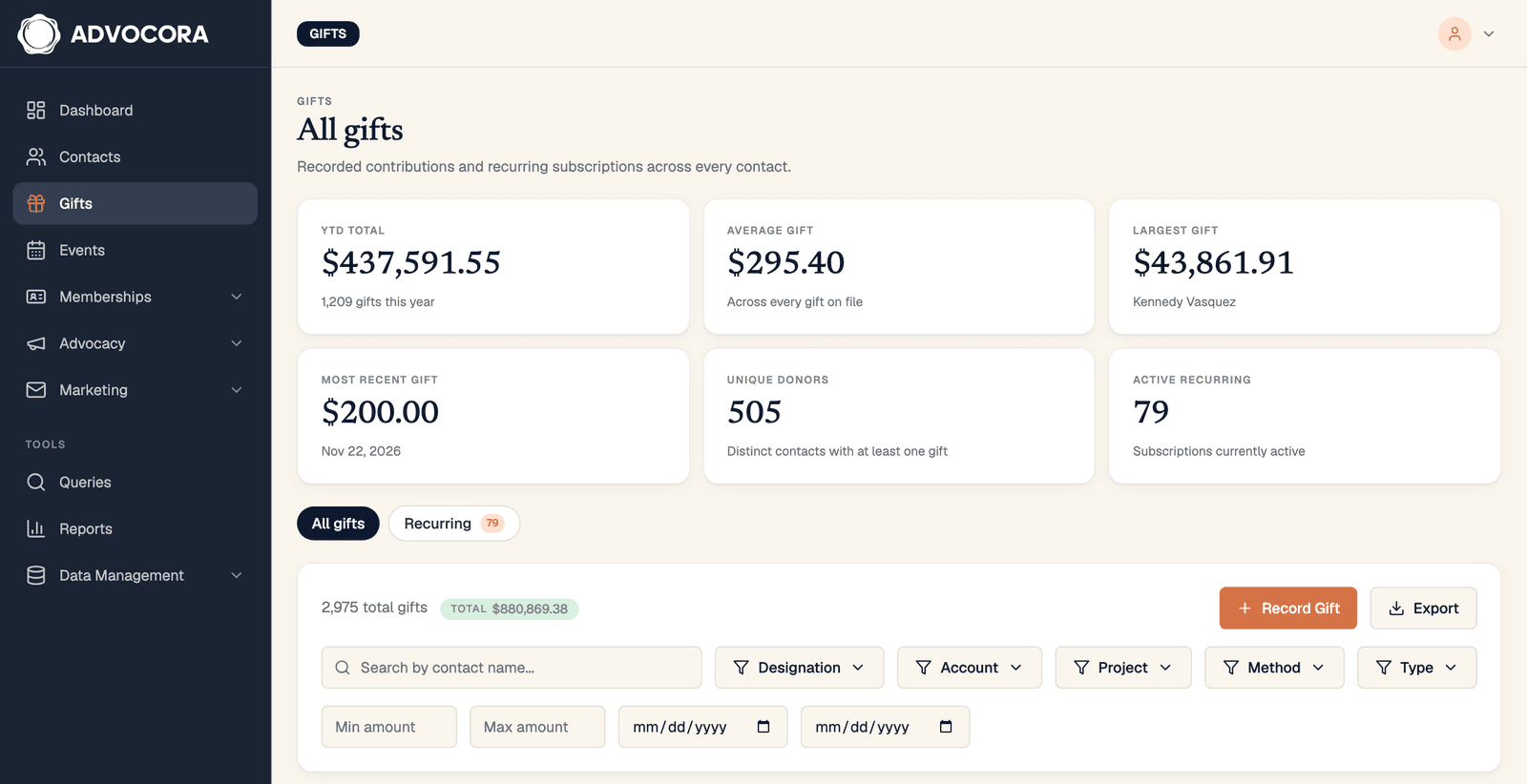
Filter first, then export.
Filter by designation, account, project, payment method, amount, or date. The count and total update to match, and the export contains exactly what you see.
- The spreadsheet for the board or the accountant is two clicks
- Refund a card gift in full or in part, without logging in to Stripe
- Designations, accounts, projects, and sub-projects are lists you manage
- Each donor's profile shows lifetime giving and every gift in a timeline
A mailed check takes under a minute.
Type two letters of the donor's name, pick them, and enter the gift. Choose the designation and account from your own lists, and tick one box to email a receipt when the gift is saved.
- Credit card, cash, check, ACH, in-kind, and stock
- A check number field appears for checks
- The same button is on every contact's profile
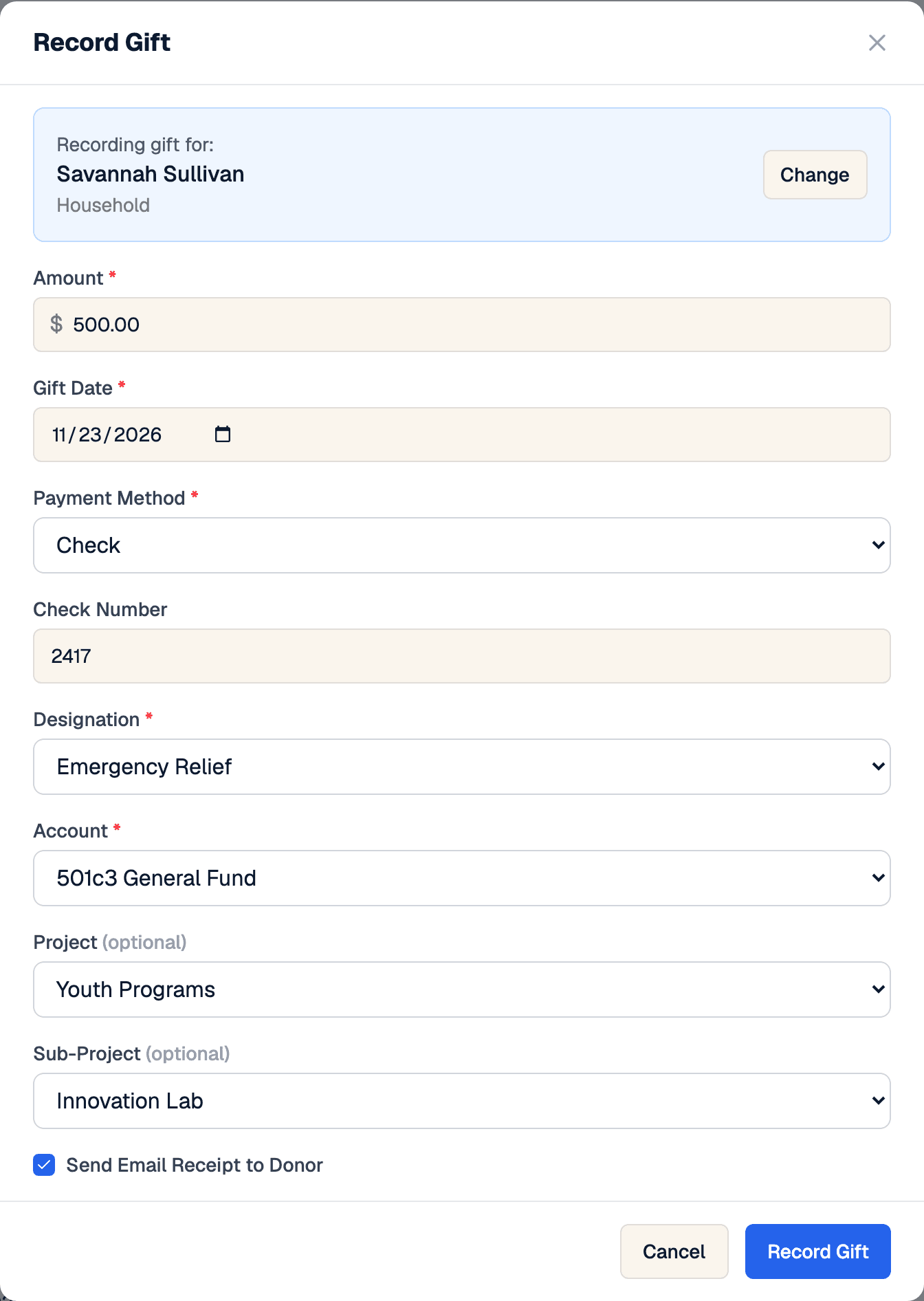
The check came from a foundation. A person made the gift.
Some donors give through a community foundation, a family foundation, or a donor-advised fund. Advocora records who paid and who decided.
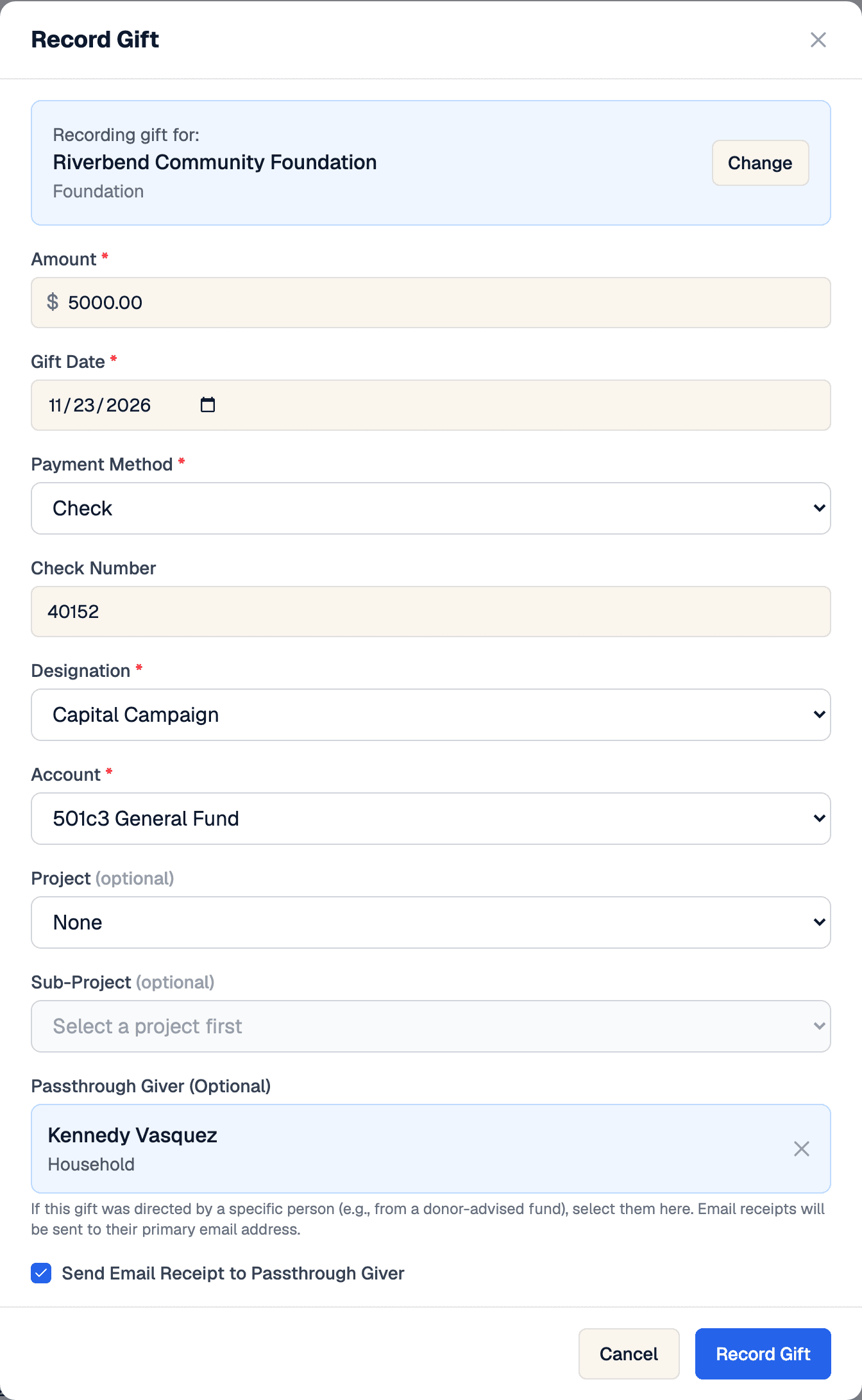
Thank the right person.
When you record a gift for a foundation, name the person who directed it. The gift stays on the foundation's record, because the foundation paid, and the receipt can go to the person instead of the foundation's office.
- Contacts can be households, organizations, or foundations
- A foundation can also give in its own right, as a grant
A major donor does not disappear from your list.
The person's lifetime giving includes what they gave through a foundation, with that share called out. Each of those gifts in their timeline is labeled with where it came from.
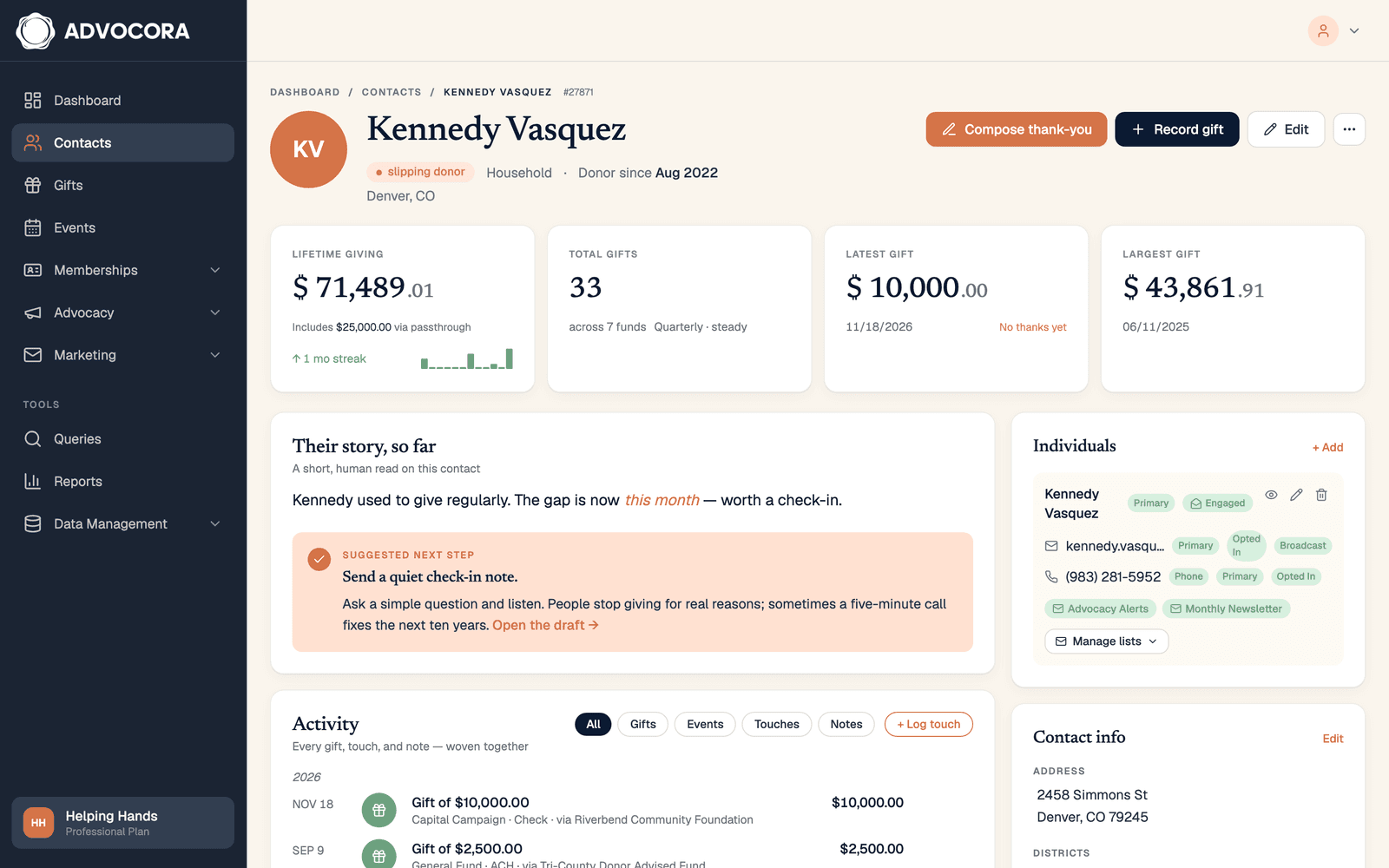
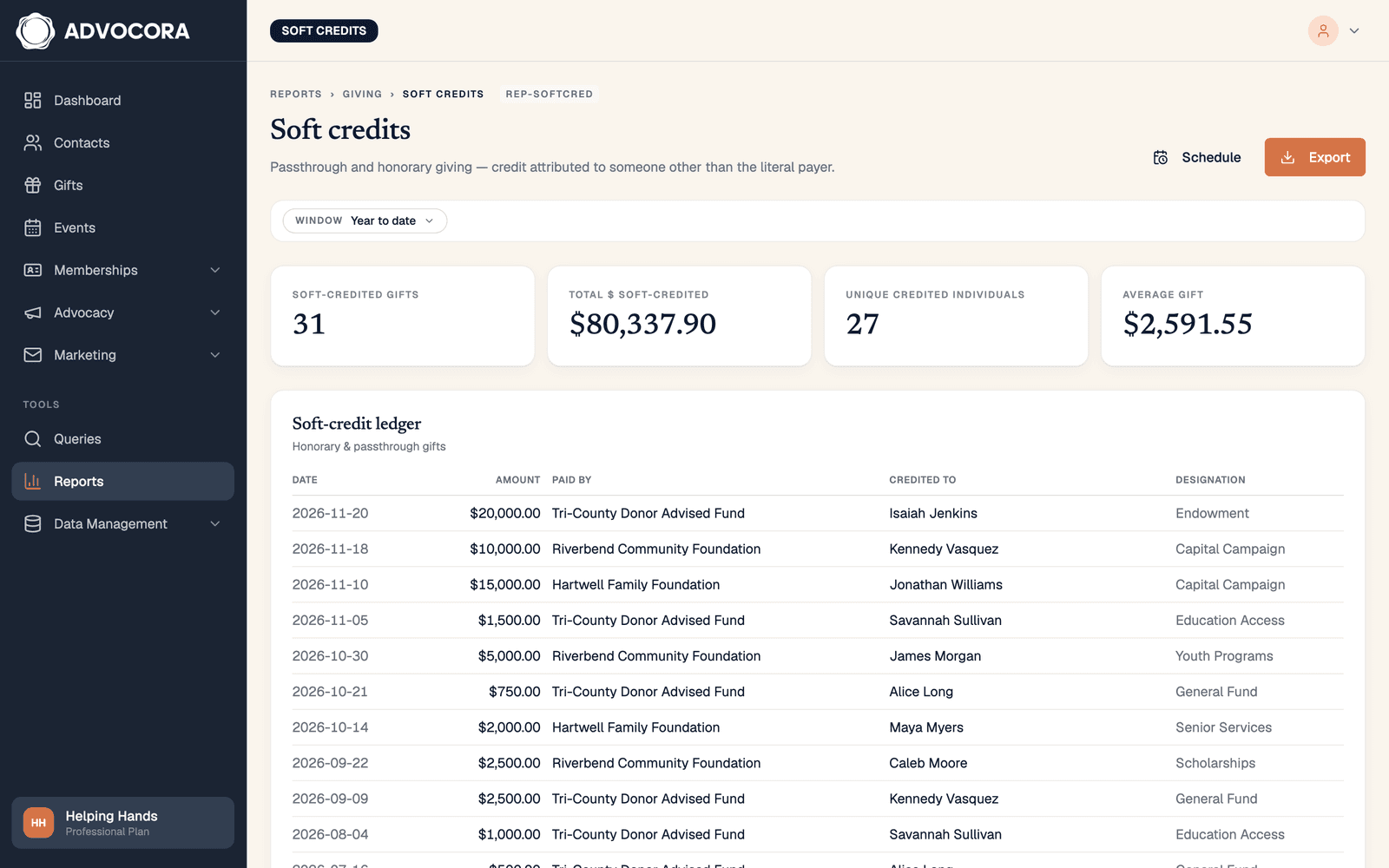
Both sides of every gift, in one report.
The report lists each of these gifts with its date, amount, who paid, and who gets the credit, with totals. Export it, or schedule it to arrive by email.
One donor database. More than one legal entity.
Many organizations are really two or three: a 501(c)(3), a 501(c)(4), sometimes a PAC, each with its own bank account. One subscription covers up to three connected Stripe accounts.
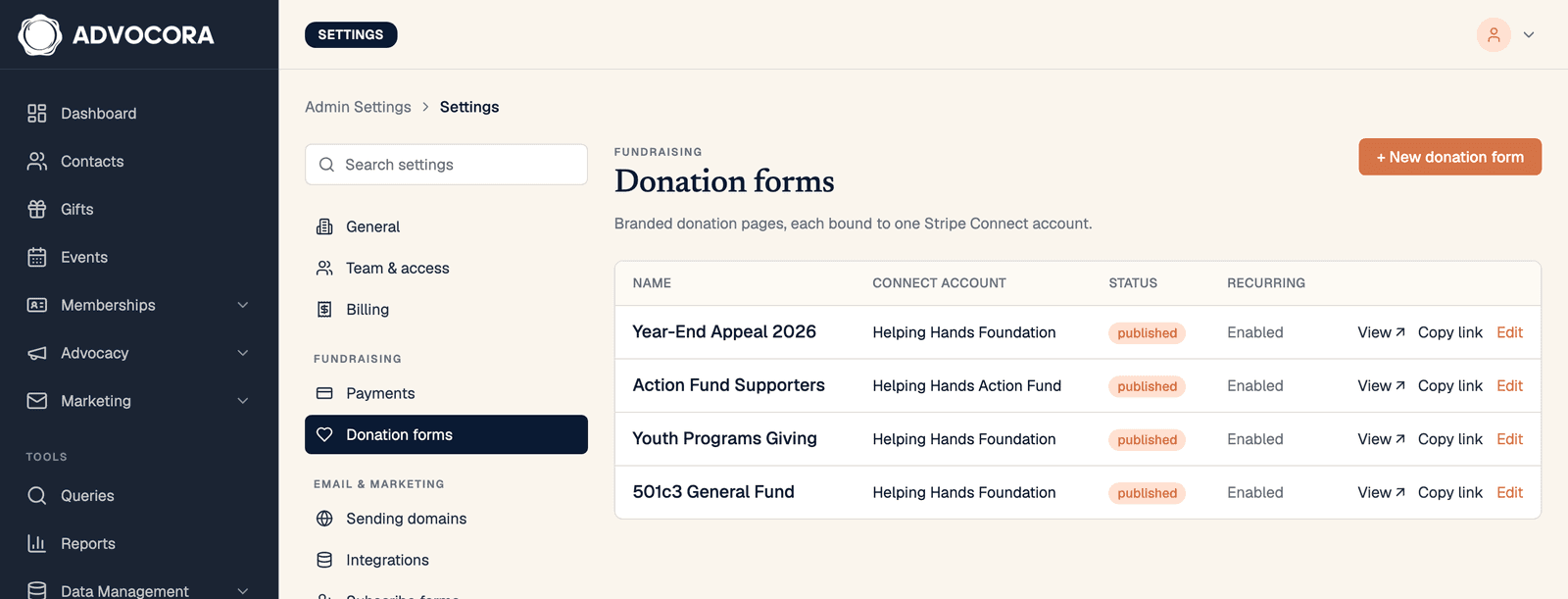
The money goes where it belongs.
Every donation form is tied to one payment account. The year-end appeal pays into the foundation, and the action fund form pays into the action fund.
- No second CRM, and no second login, for the (c)(4) or the PAC
- Gifts carry the account they came through, and a report splits giving by account
- The same accounts take event ticket and membership payments
Deposits go to your bank.
Connect a Stripe account you already have, or set up a new one with a short onboarding. Give each a name and a type, and see at a glance whether it is ready to take money.
- 501(c)(3), 501(c)(4), PAC, or Other
- Each account shows whether charges, payouts, and details are ready
- One account is the default for new forms
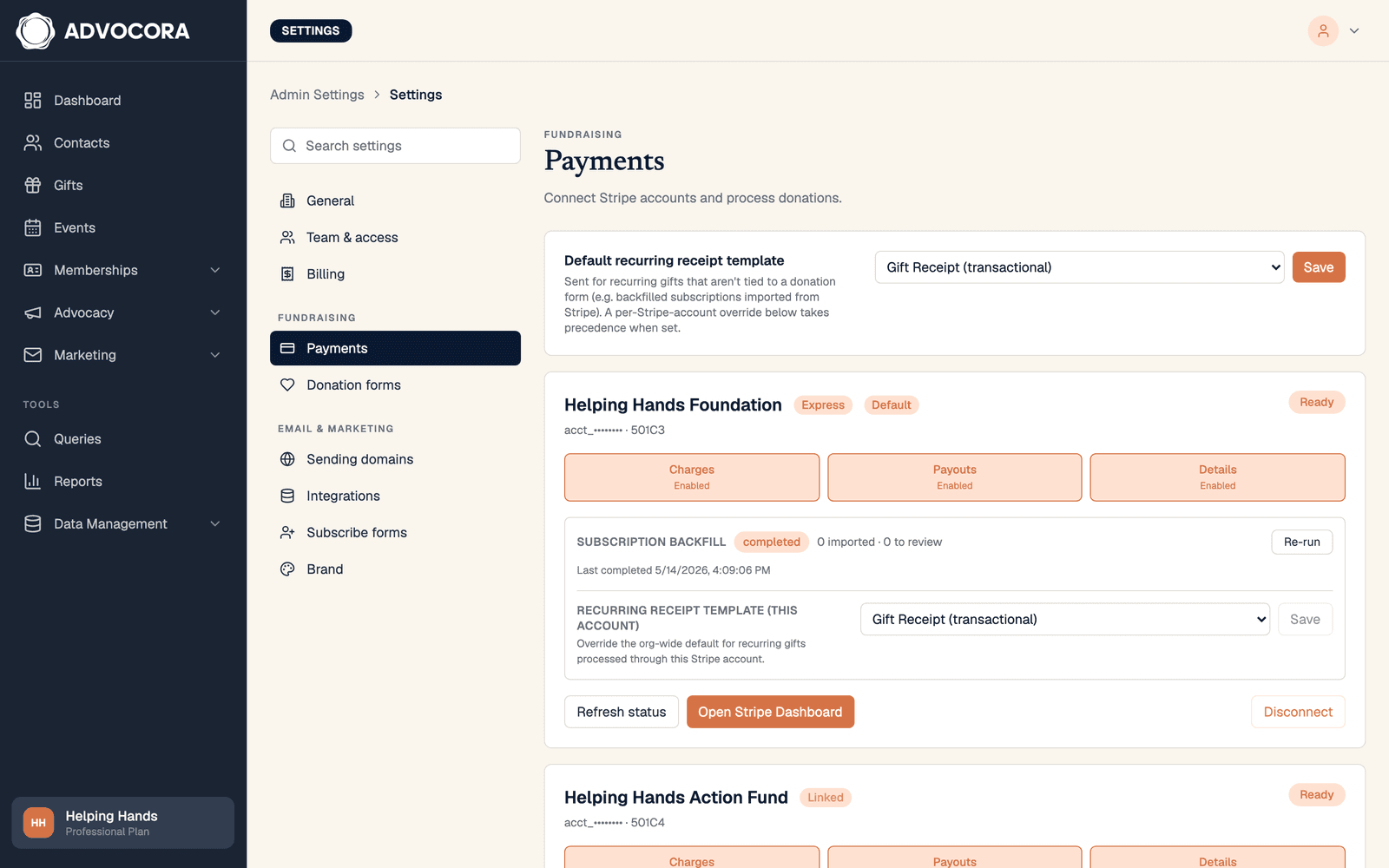
Thanked within moments, and kept for years.
Every online donor gets a receipt by email. Monthly donors can look after their own gift.
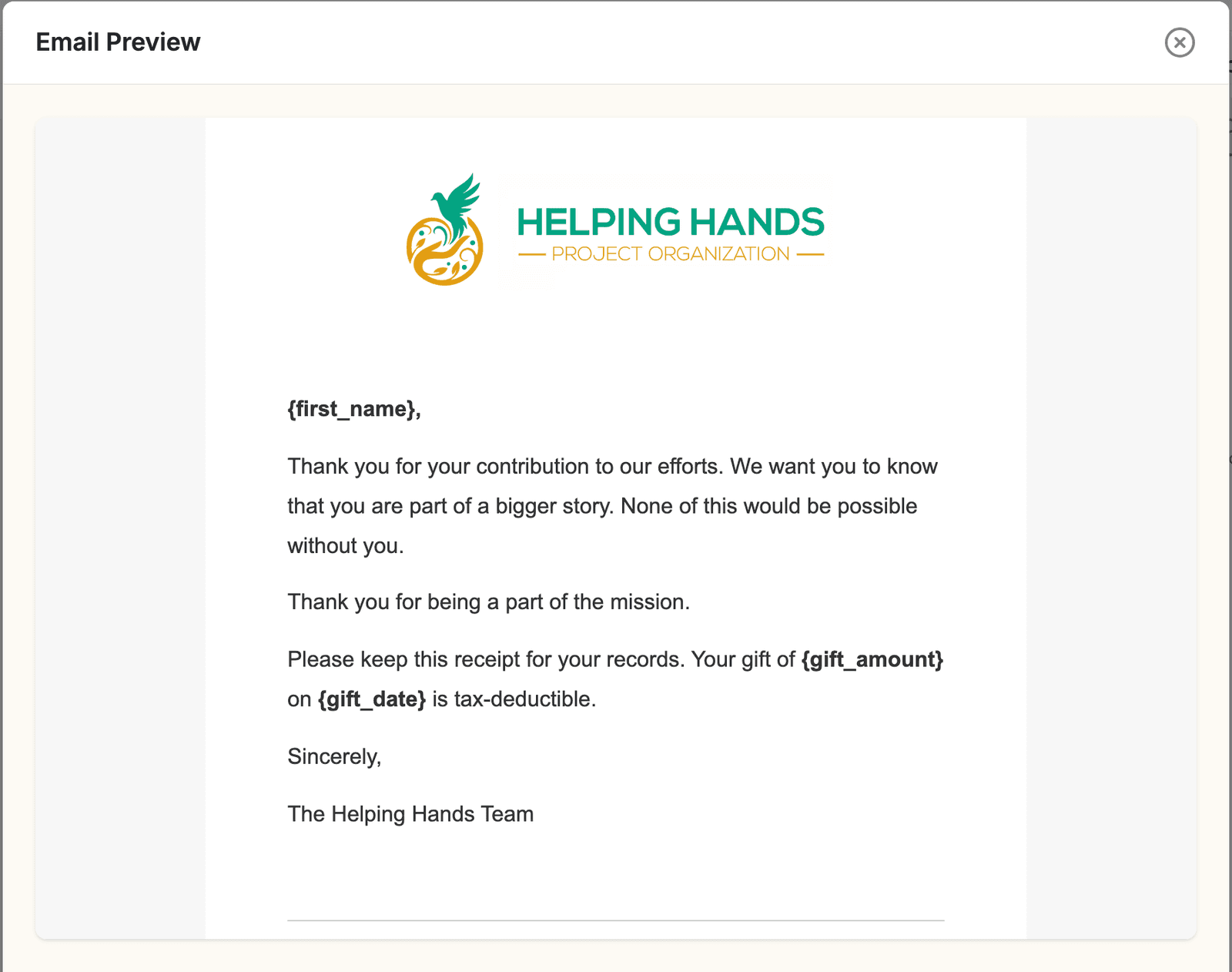
Your own design, filled in for each gift.
Receipts are built in the same drag-and-drop builder as your newsletters, and sent from your own verified email domain. The donor's name, the amount, the date, and the designation fill in by themselves.
- Different receipts for one-time and recurring gifts
- A different receipt per form, so each legal entity can use its own wording
- Gifts recorded by hand are receipted with one tick box
Donors fix their own expired card.
Each recurring donor can have a private link to manage their own gift: change the amount, replace the card, or cancel. No password. That keeps monthly gifts alive and keeps the request out of the office inbox.
- Every charge becomes a gift on the donor's record and is receipted
- Staff can change the amount or frequency, pause, or cancel
- Monthly donors already in your Stripe account can be brought in, so they do not have to sign up again
The board report is a button, not an afternoon.
Each report can be exported as a PDF or a CSV, and scheduled to arrive by email.
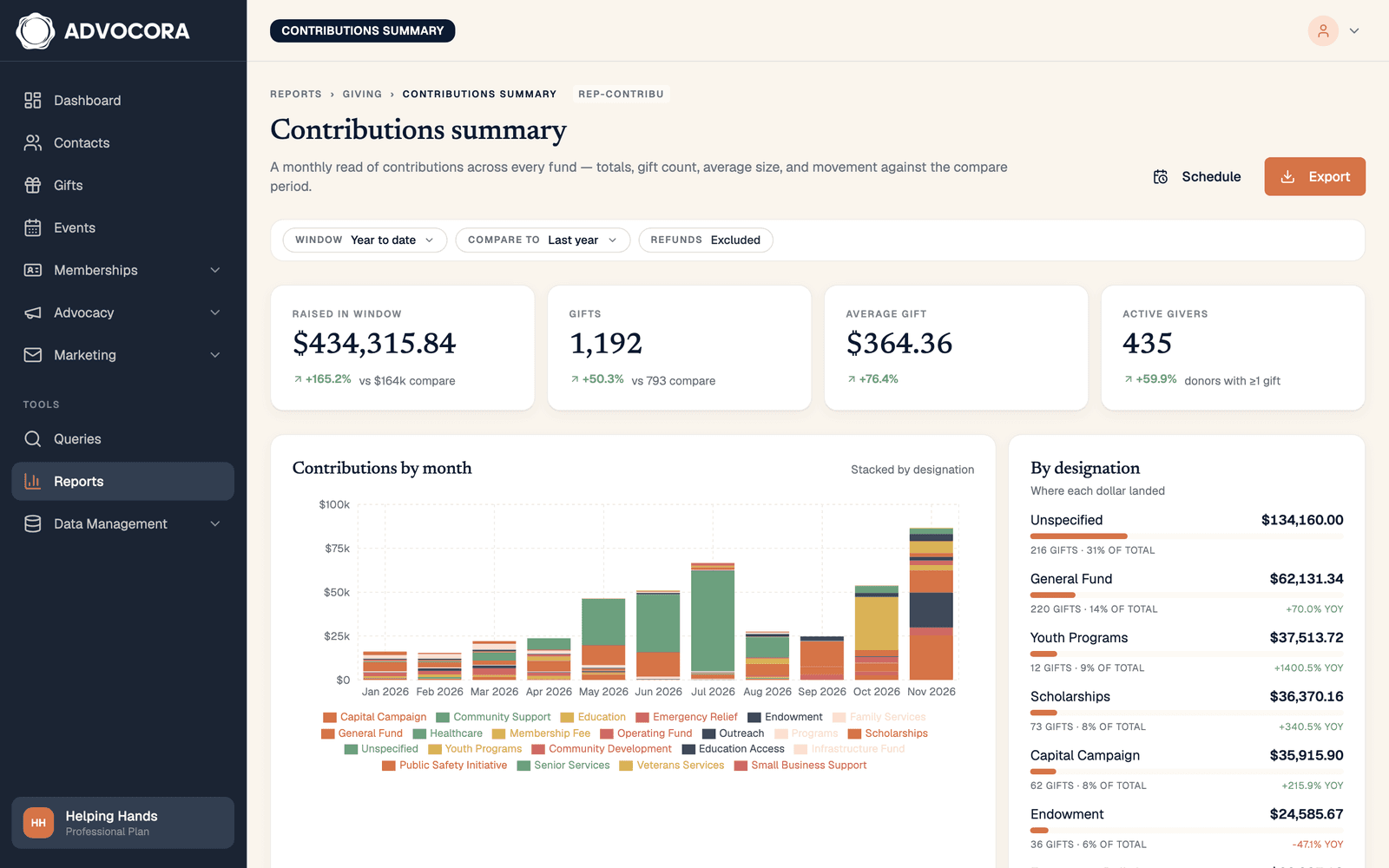
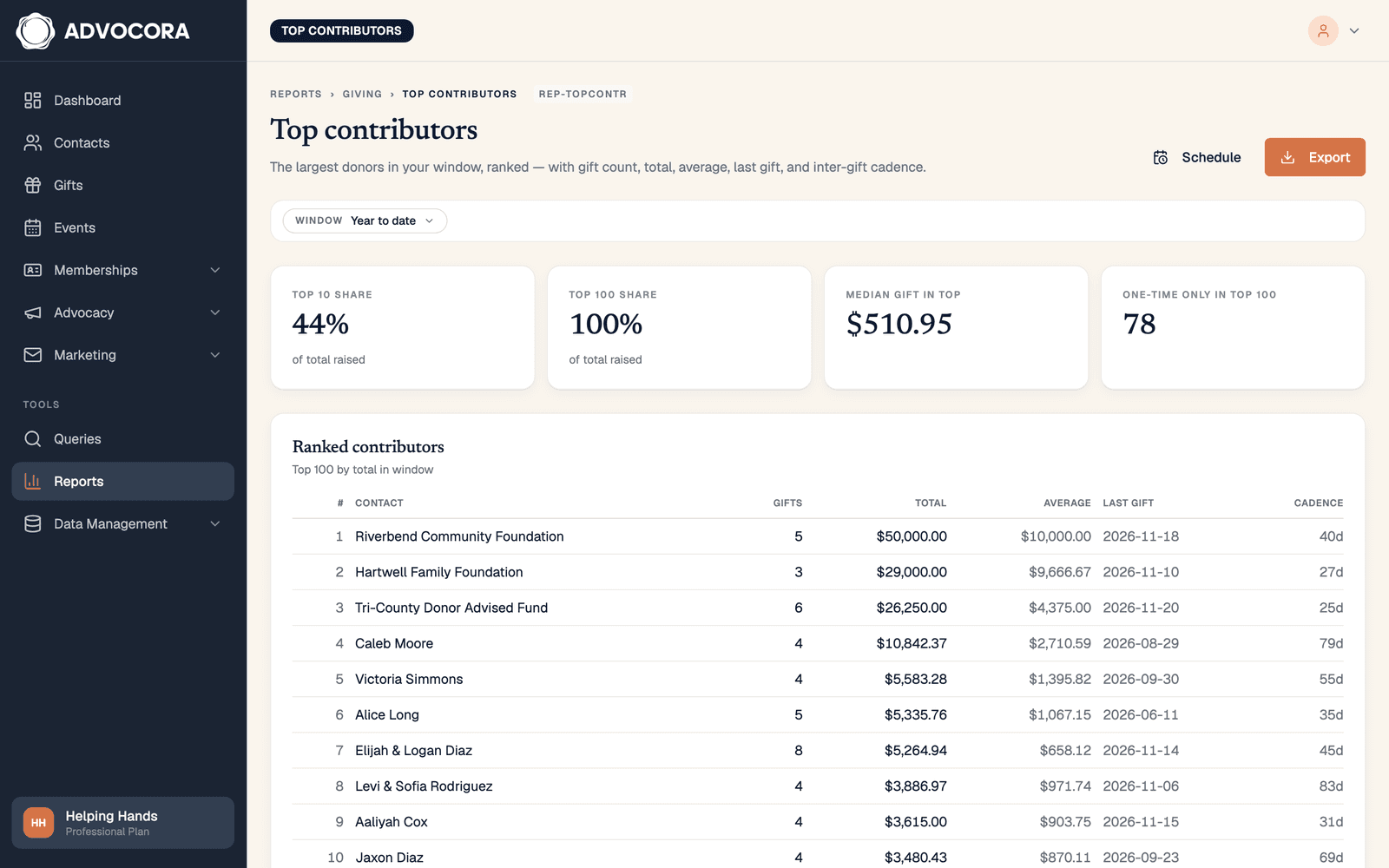
From the totals to the people behind them.
See what was raised against a comparison period, who gave the most, and how gifts spread across sizes. The same giving data builds your email audiences, so an appeal can go to exactly the donors it is meant for.
- Build a list from giving history with no code
- Results can be households, individuals, or gifts
We do not take a share of what you raise.
Donation forms, receipts, and reports are part of every Advocora subscription. Applicable Stripe processing fees still apply and are paid directly to Stripe.
Common questions about fundraising.
What does Advocora charge on donations?
Nothing. The Advocora platform fee on donations is 0%. Applicable Stripe processing fees still apply and are paid directly to Stripe at your organization's own rate.
Can donors cover the processing fee?
Yes. You can offer it on any form. The donor sees the fee and the new total before they give.
Can the donation form go on our own website?
Yes. Each published form has a snippet to paste into a web page. The form appears in place, in your colors, and resizes itself to fit.
How does an online gift reach the right donor?
An existing contact is found by email address. If there is no match, a new contact is created. Either way the gift is recorded and the receipt is sent.
Can we keep our 501(c)(3) and 501(c)(4) money separate?
Yes. One subscription covers up to three connected Stripe accounts, and every donation form is tied to one of them. Your team works from one donor database while the money stays separate.
How do you handle gifts from a donor-advised fund?
Record the gift on the foundation or fund that paid, and name the person who directed it. The person's lifetime giving includes it, and the receipt can go to them.
How do we record checks and cash?
Use Record Gift on the Gifts page or on any contact's profile. Tick one box to email a receipt when the gift is saved.
Can donors give monthly?
Yes. Each form can offer recurring gifts at the frequencies you allow: weekly, monthly, quarterly, or annually. Each charge is recorded as a gift and receipted.
Can a monthly donor change their own gift?
Yes. A recurring donor can use a private link to change the amount, replace the card, or cancel, with no password.
How can donors pay?
By card or US bank account. Apple Pay and Google Pay appear where available.
See a gift go from form to donor record.
Book a 30-minute demo. We'll build a donation form, make a gift, and follow it to the donor's profile, the receipt, and the report.