Email that already knows your donors.
Design, send, and measure email from the same system that holds your gifts, memberships, and events. Your audiences come straight from your donor records, so there is nothing to export and no second tool to pay for.


Your email tool and your donor database are the same system — so every send starts with what you already know.
Not a bolt-on. Part of the record.
Most organizations keep donors in one tool and email in another, then move spreadsheets between them. Advocora keeps both in one place.
Audiences from real giving data.
Build a segment from total giving, last gift date, membership status, or legislative district. It updates on its own as gifts and memberships come in.
Open rates you can believe.
Apple Mail and Gmail open email automatically, which inflates open rates everywhere. Advocora separates the opens that were people from the ones that were machines, and shows you both.
Every result feeds the next send.
Each supporter gets an engagement rating from their opens and clicks. Use it as a filter, so your next appeal goes to the people who are actually reading.
Describe the email. Get a designed first draft.
Type a few sentences about what you want to say. About a minute later you have a designed email in your colors, with your logo, your mailing address, and an unsubscribe link already in place. Then edit it like any other email.
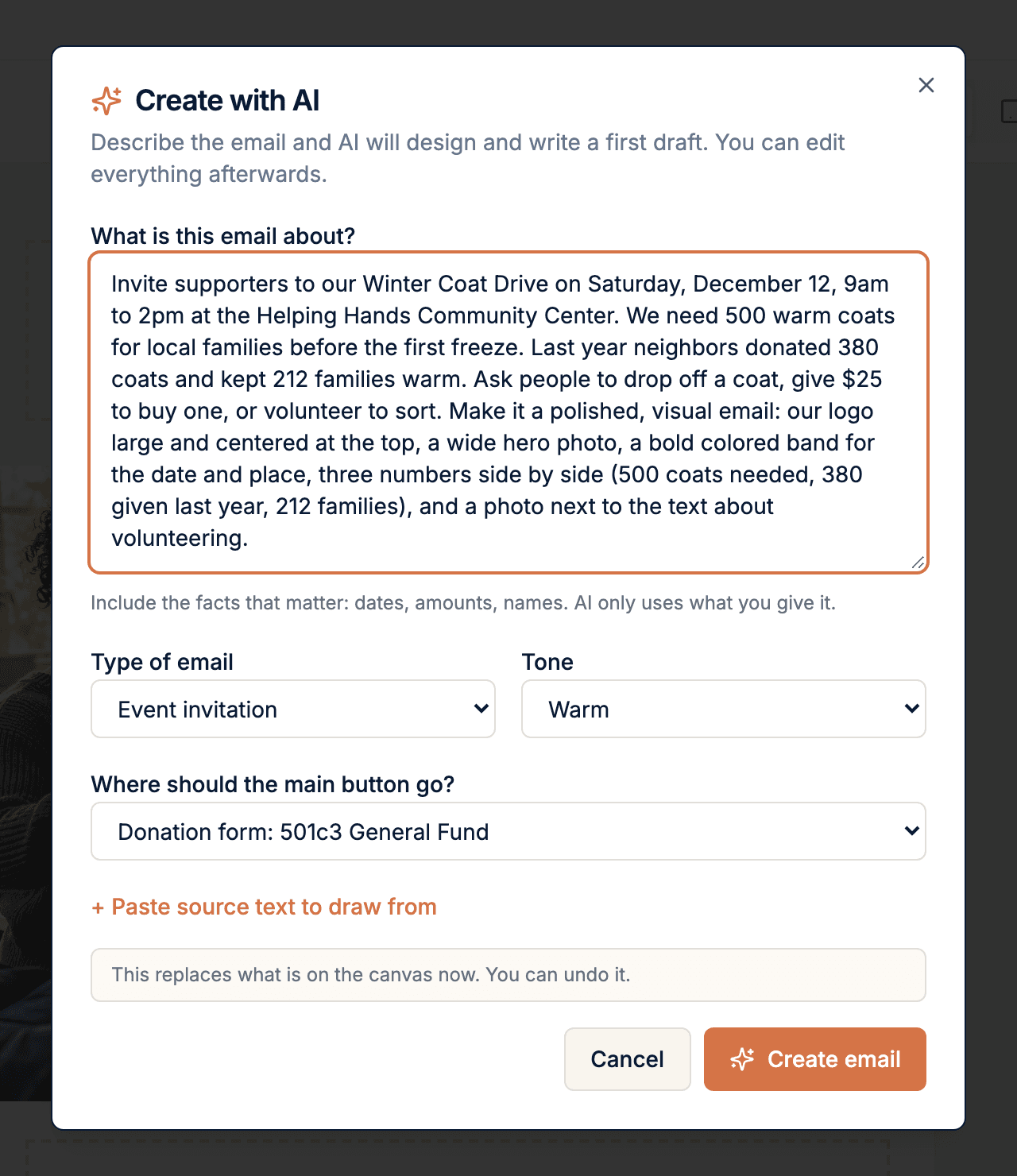
Tell it what the email is about.
Give it the dates, amounts, and names. Pick a type and a tone, and point the main button at one of your own donation forms, membership forms, or events. You can also paste a press release or notes for it to draw from.
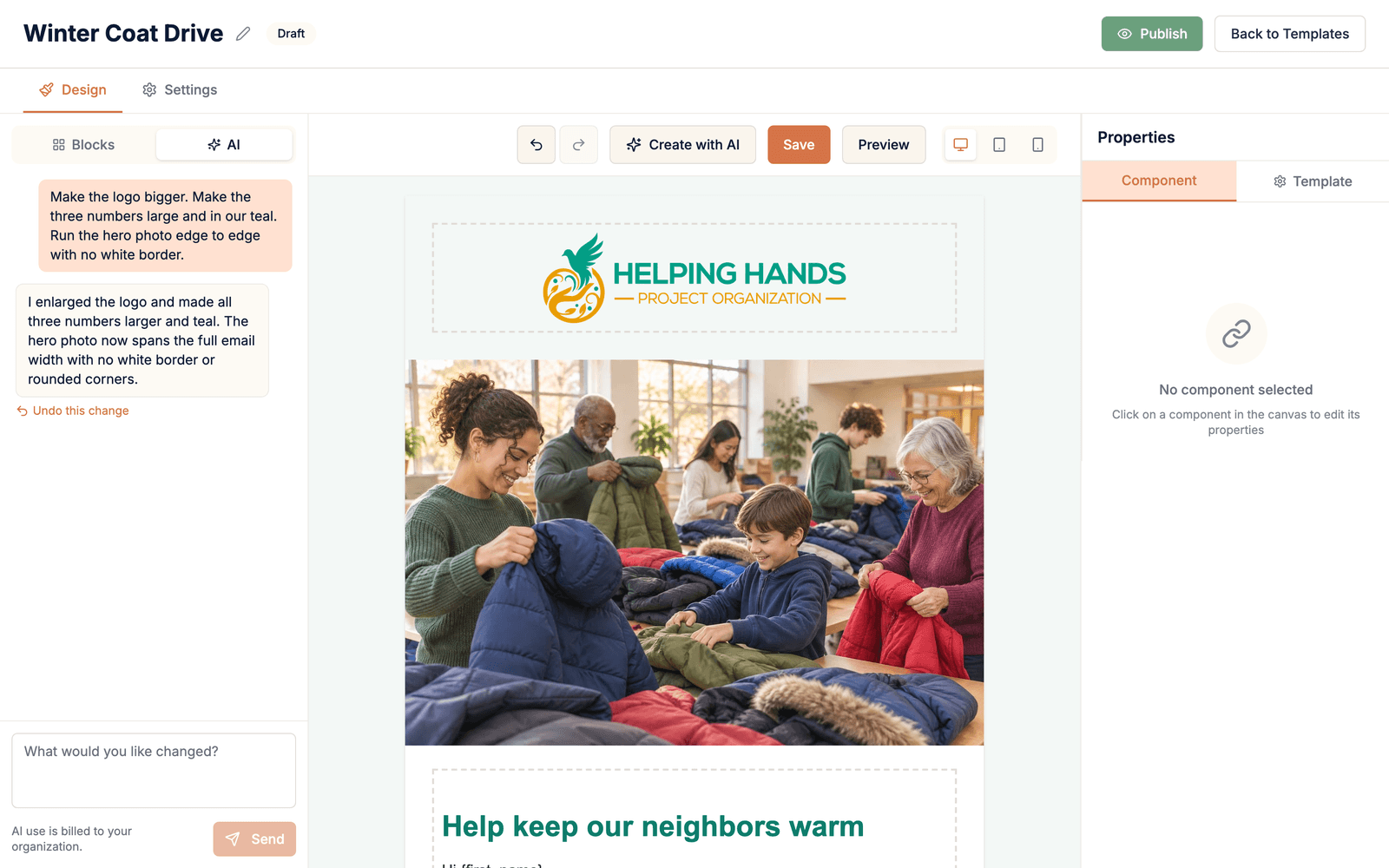
Change it by asking.
"Make the headline shorter." "Add a section about volunteering." The AI tells you what it changed, and every change has an Undo. Select a block first to change only that block.
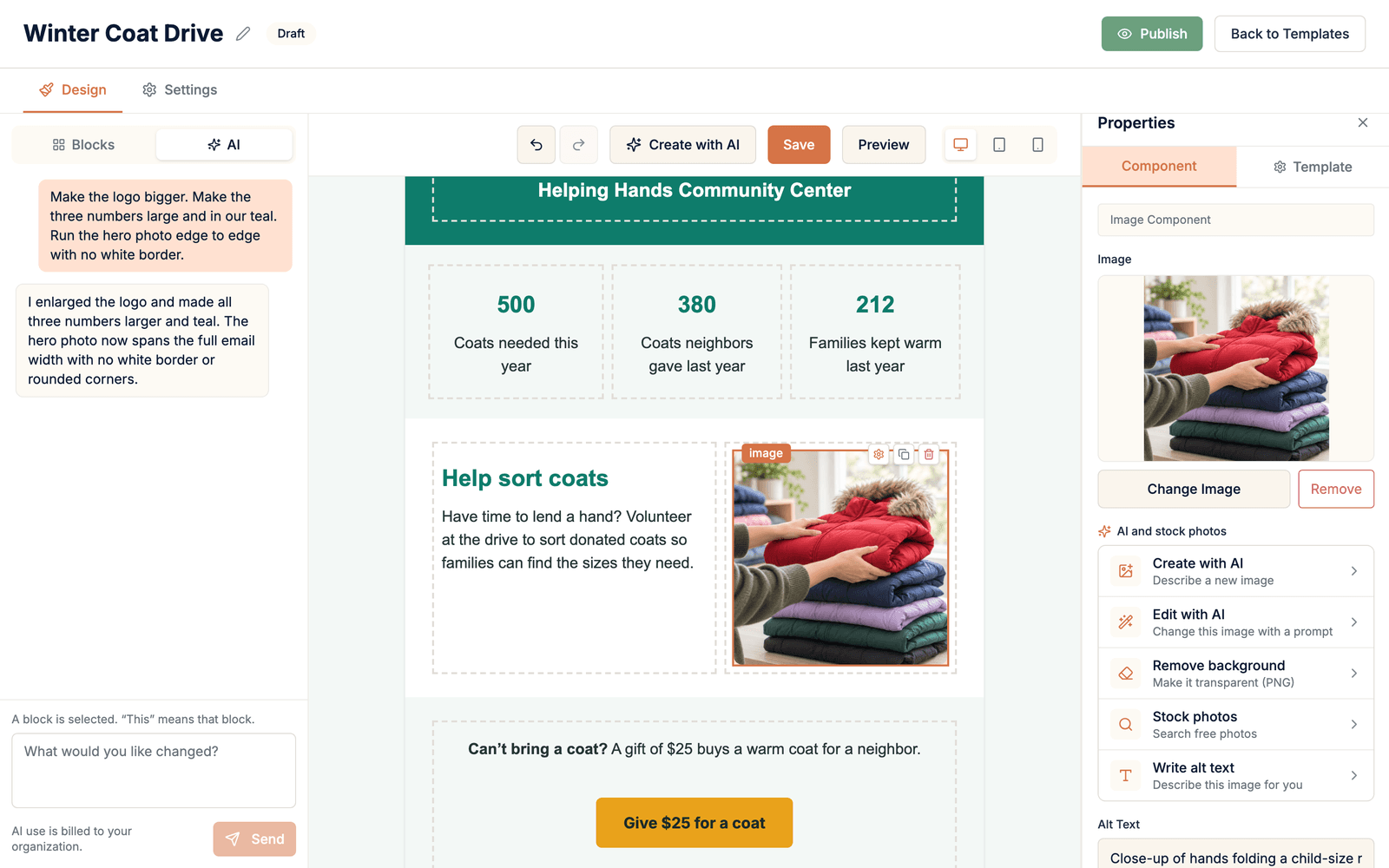
Make the pictures, too.
Create an image from a description, edit one you already have, remove a background, or search free stock photos. Alt text is written for you, and every new image is saved to your media library.
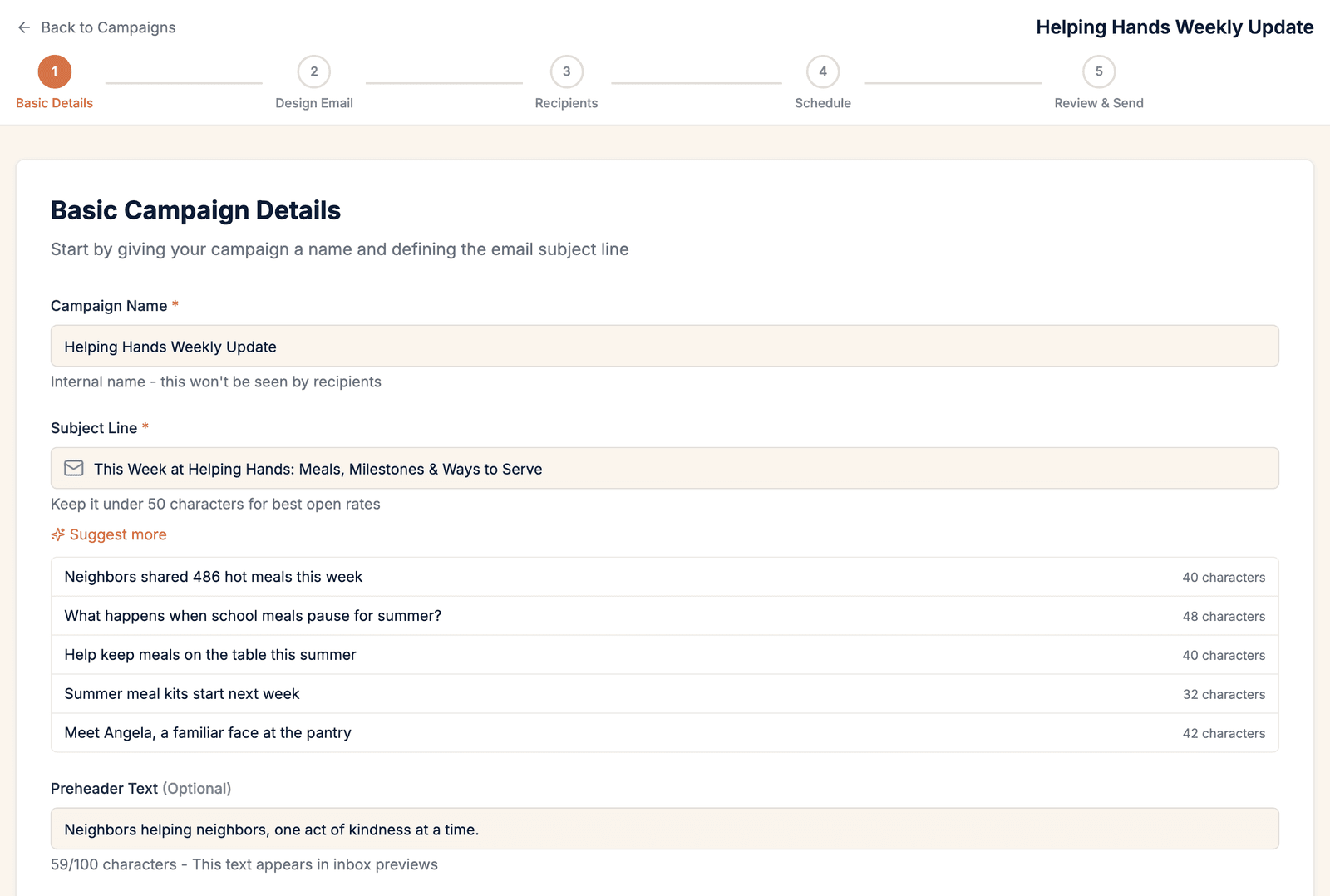
Get help with the words.
Rewrite, shorten, or change the tone of any text block. Ask for subject lines and get several based on what the email says, each with a character count.
It uses the facts you give it.
The AI works from what you type or paste. It does not make up dates, amounts, or names to fill a gap.
It sounds like you.
Save your brand voice once, along with your logo and colors, and every draft follows them.
You send it. The AI doesn't.
Every draft is a normal, editable email. A review bar points out anything unfinished, and nothing goes out until a person sends it.
AI use is metered and billed monthly for what your organization uses. There is no separate AI subscription to buy.
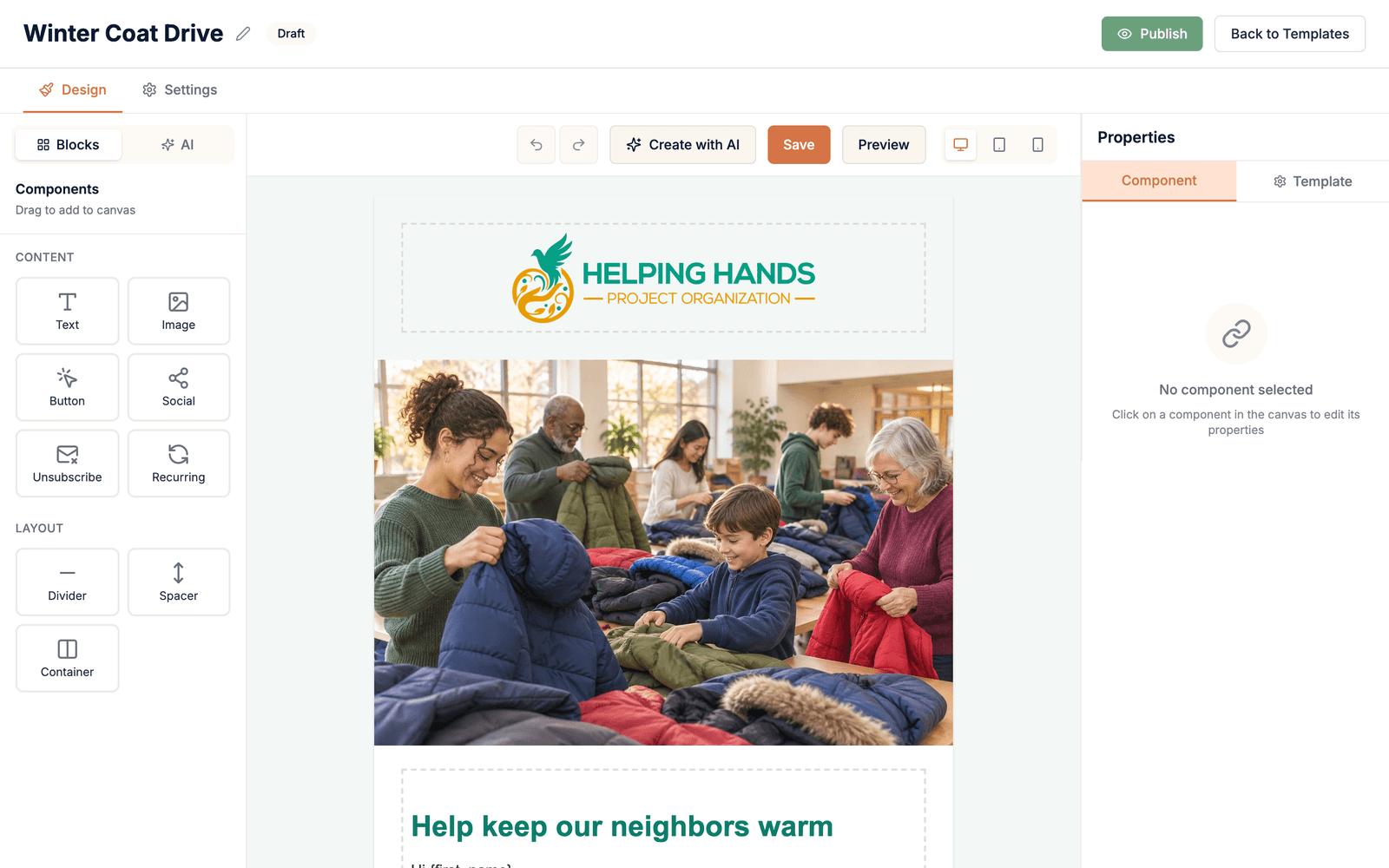
Drag, drop, and it looks like you.
Build an email from blocks, or start from an AI draft and take over. Edit text right on the page and adjust spacing, colors, and fonts for any block.
- Text, image, button, social, divider, spacer, and multi-column blocks
- Merge tags fill in each supporter's first name and more
- Undo and redo, plus a full preview before you send
- Built to display correctly across email apps
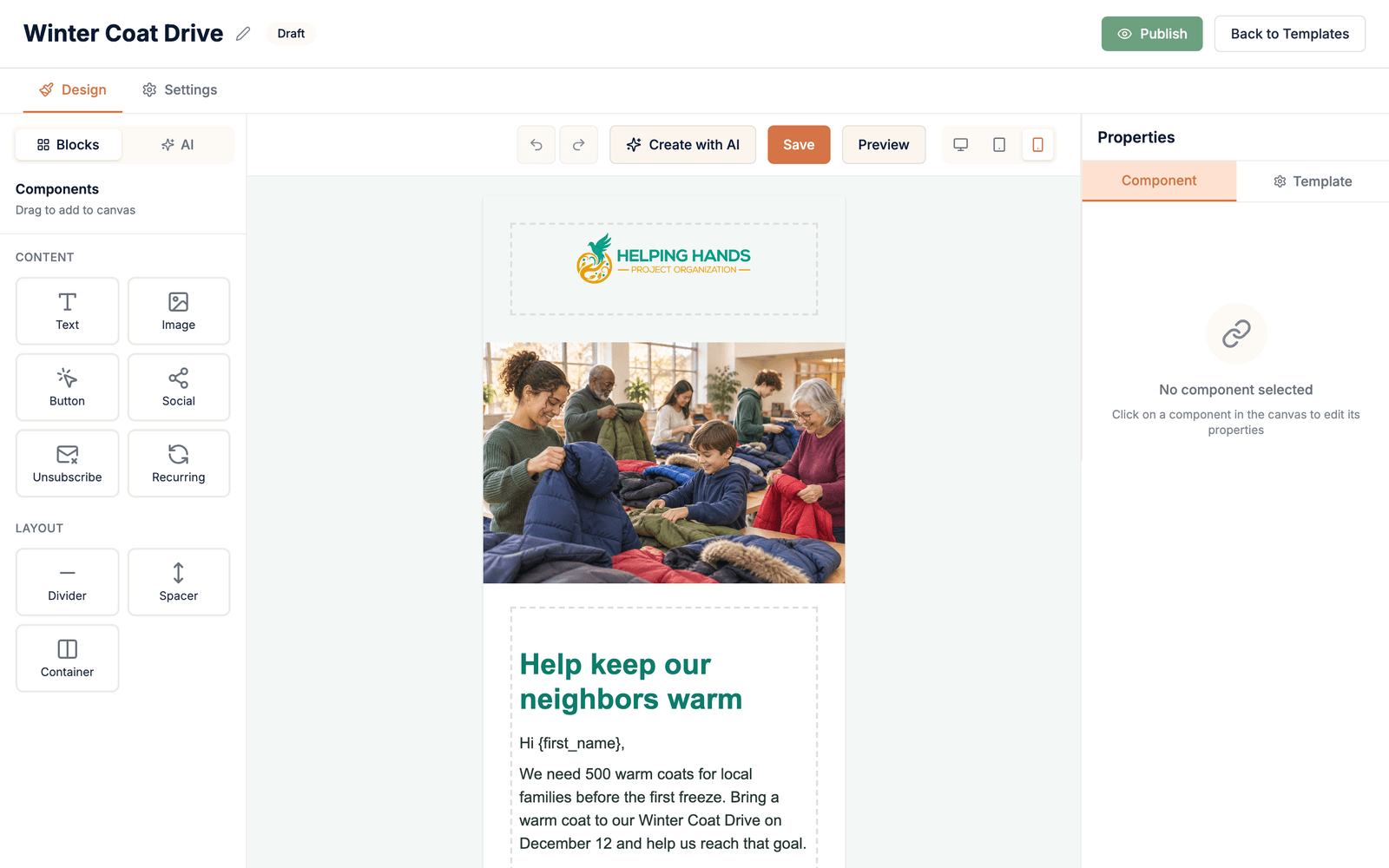
See it the way your supporters will.
Most email is read on a phone. Switch between desktop, tablet, and phone views while you build, so side-by-side sections stack cleanly and nothing gets cut off.
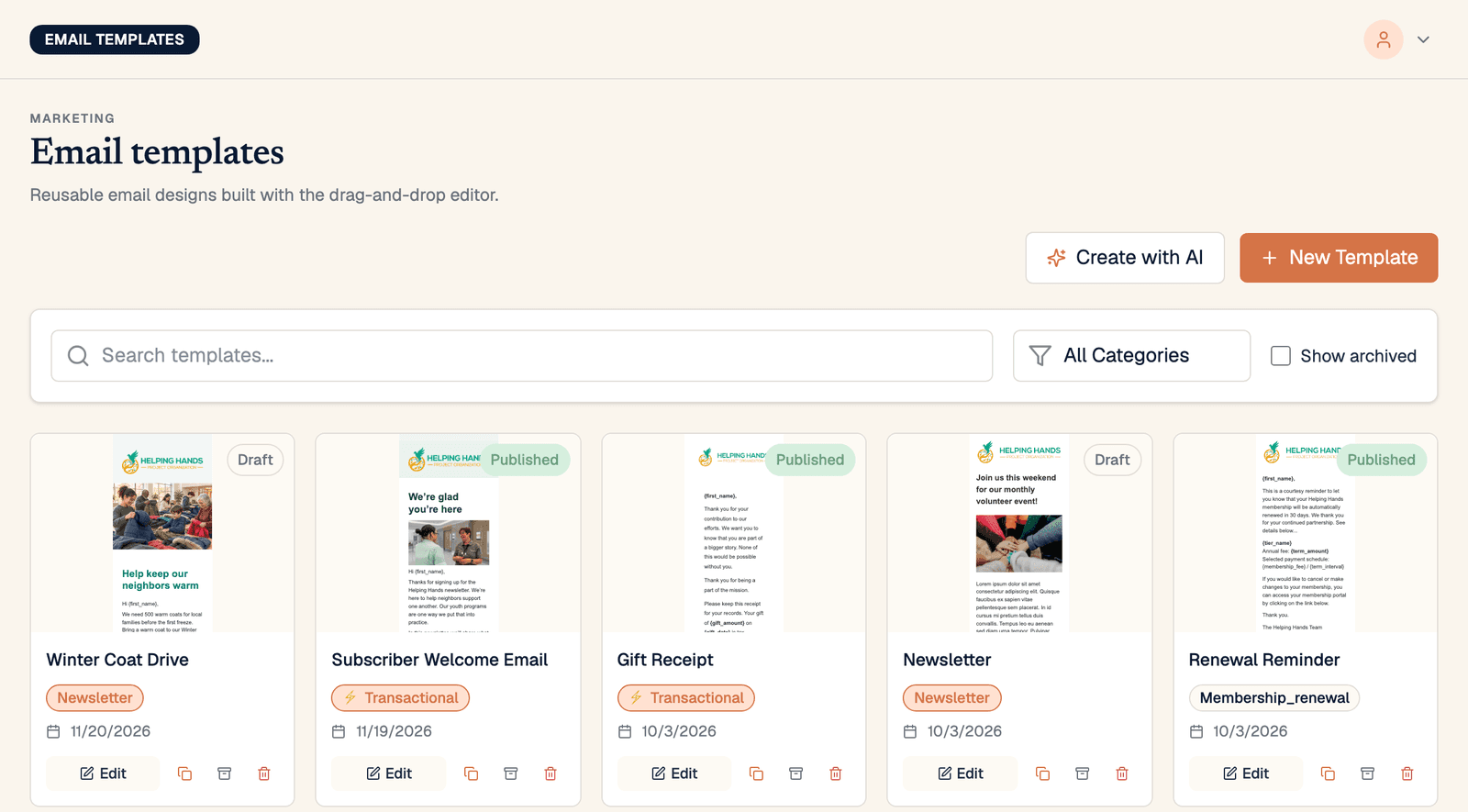
One look for everything a supporter receives.
Save any design as a template. The same builder makes your newsletters and your automatic emails, so a gift receipt looks like it came from the same organization as last week's appeal.
- Newsletters and appeals
- Gift receipts and membership confirmations
- Renewal reminders and subscriber welcome emails
- A searchable media library for your photos and logos
Send to the right people, not just everyone.
Lists are groups people join. Segments are saved rules that keep themselves up to date. Use either one, or both together.
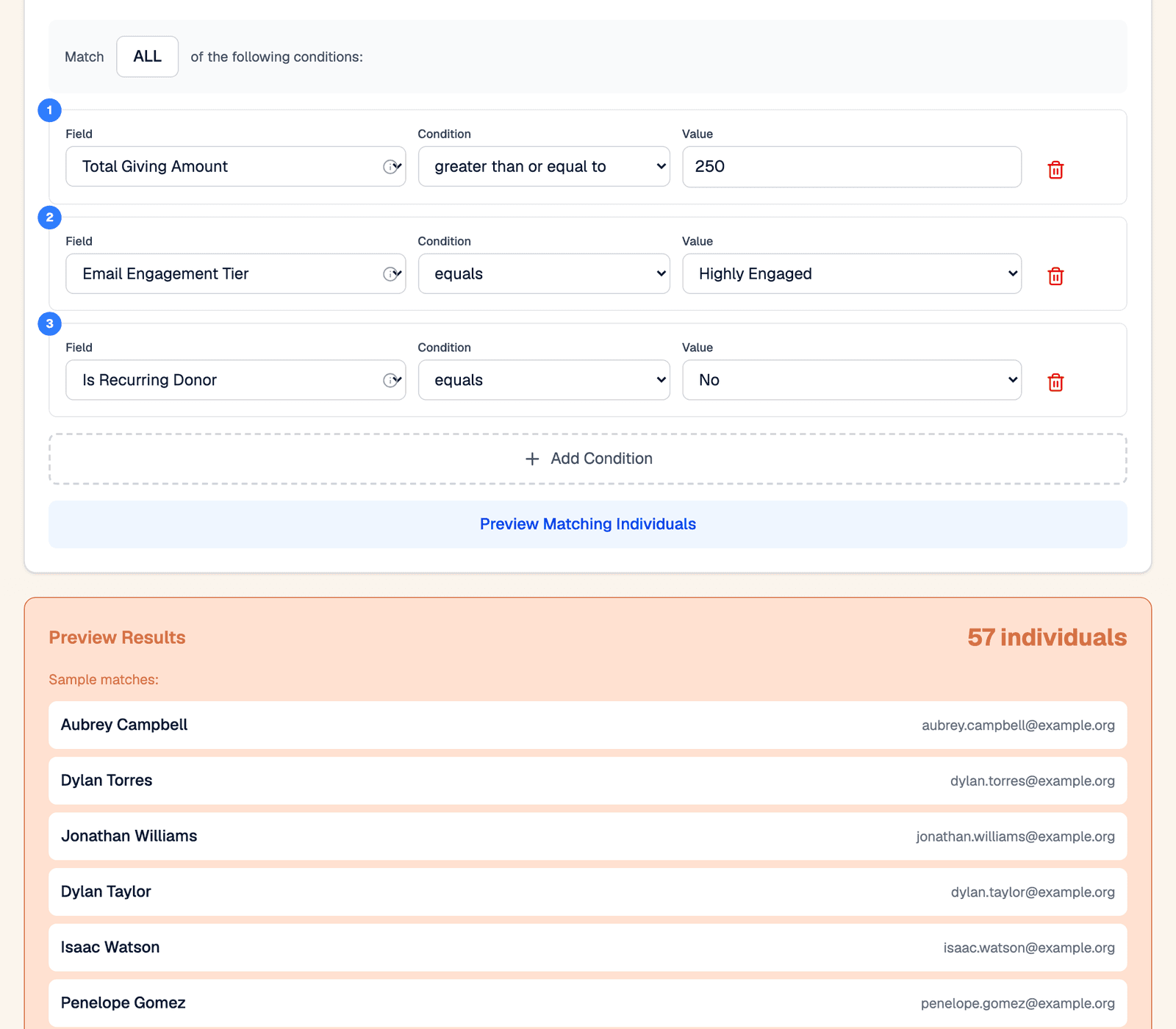
Built from giving, not guesswork.
Pick rules from a dropdown. No code. In this example, "gave $250 or more, highly engaged, not yet a monthly donor" finds 57 people for a year-end ask. Preview who matches before you save.
- Match all conditions, or any of them
- Membership updates as your data changes
- Email only the supporters in one legislator's district
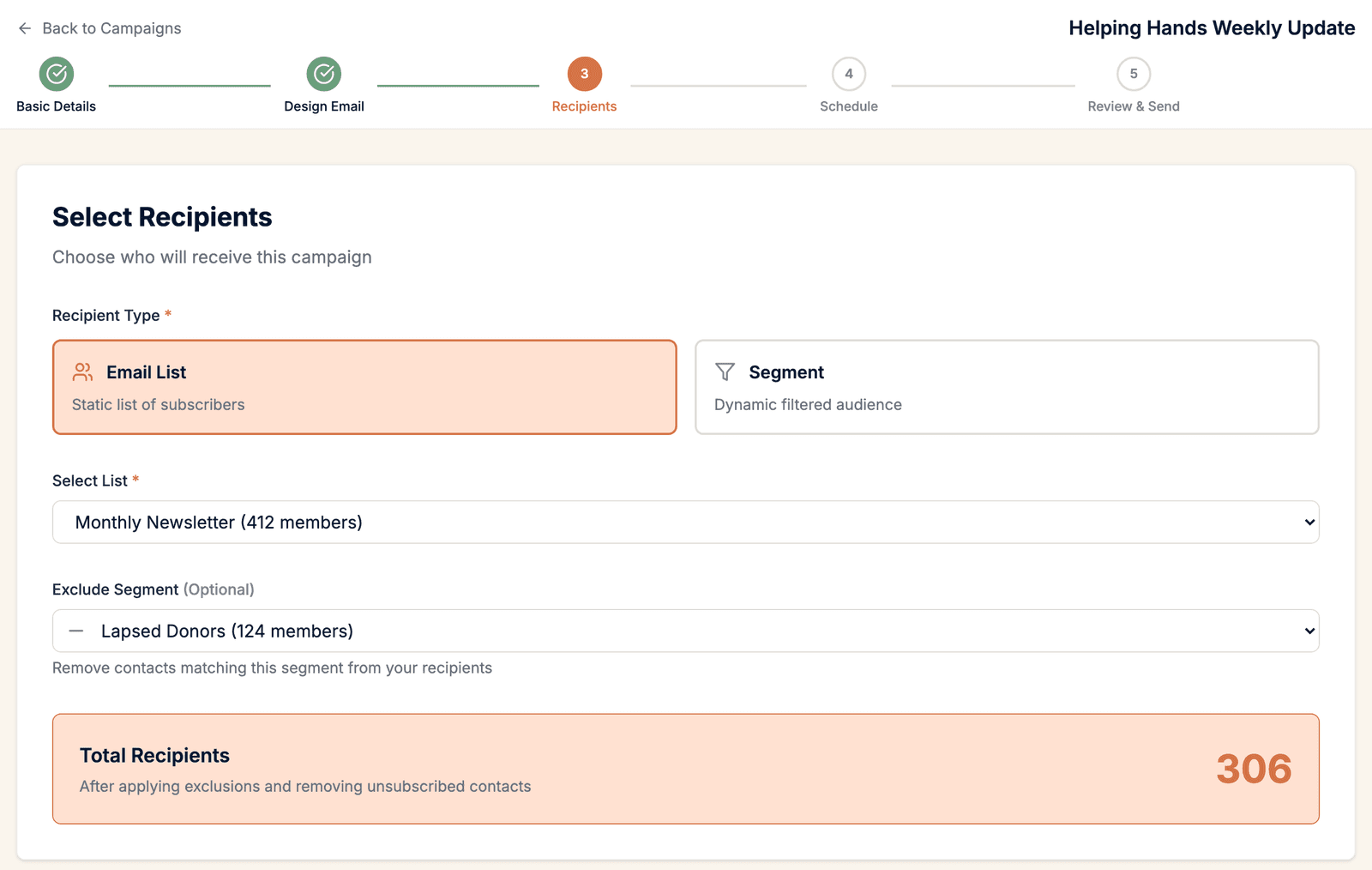
Know the count before you send.
Choose a list or a segment, then leave a group out if you need to. Send the newsletter to everyone except lapsed donors, and watch the recipient count update as you choose.
- Sign-up forms on your website add people to one or more lists
- Each list shows who is subscribed and who can actually be sent to
- Public lists appear on the supporter's preferences page
- Unsubscribed and bounced addresses are removed on every send
Know which opens were people.
Privacy features in Apple Mail and Gmail open email on their own, so an open rate can look far better than it is. Advocora counts human opens and automated opens separately, and shows you both.
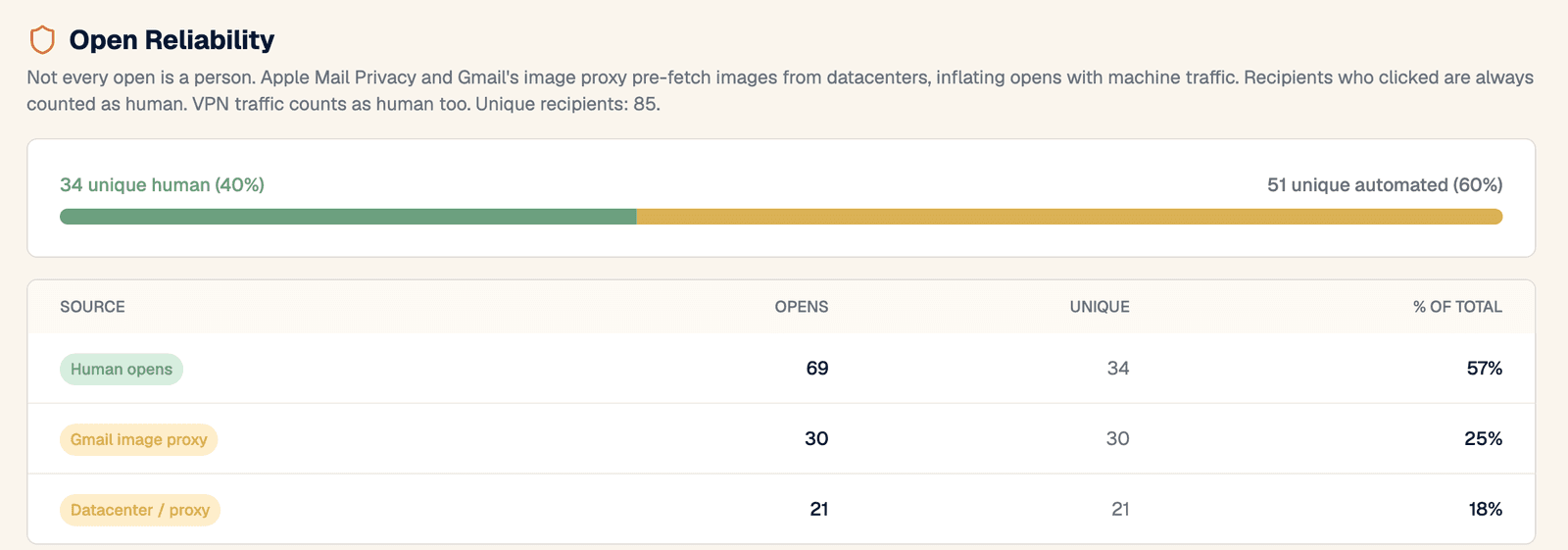
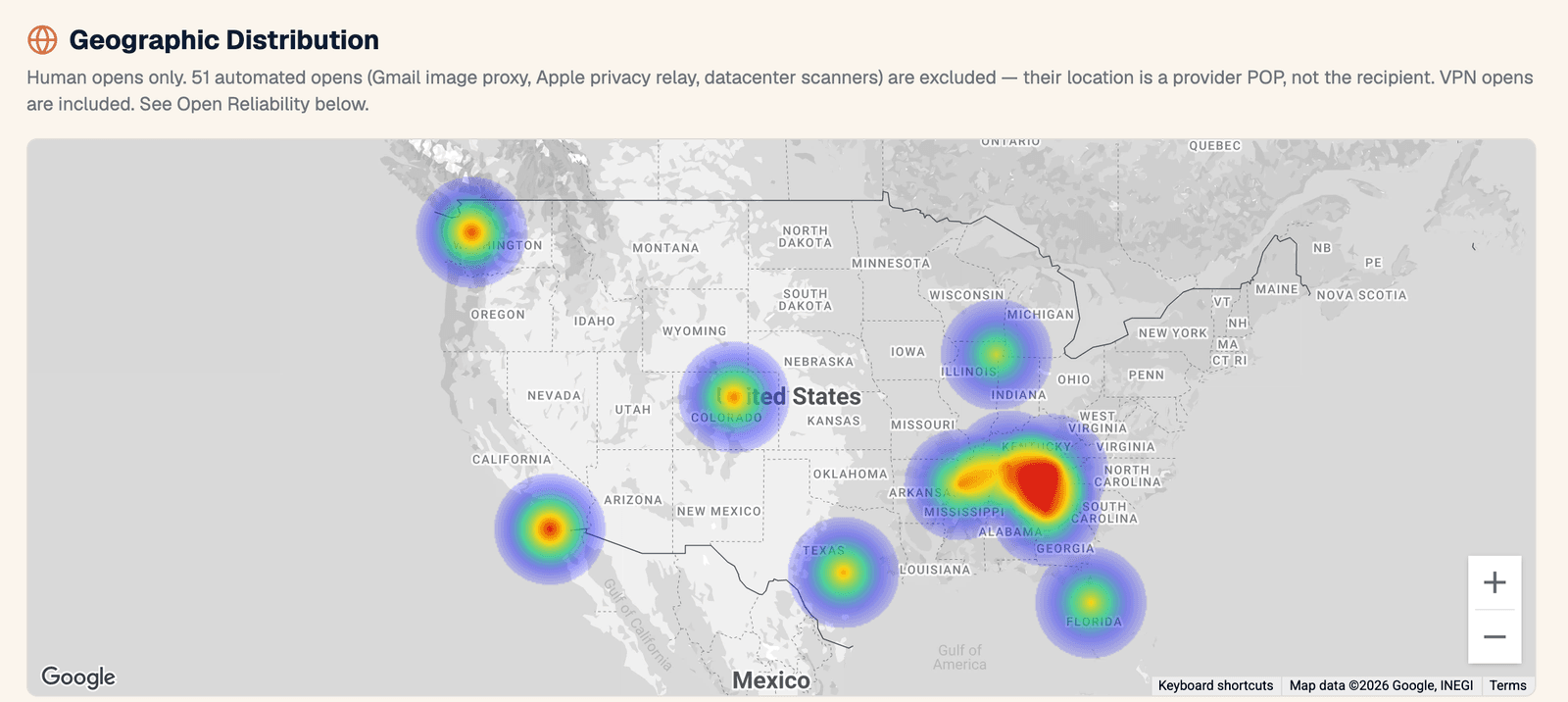
From a number to a name.
Each campaign gets its own report. Click a figure to see the people behind it: who bounced, who complained, who unsubscribed.
- Delivered, opened, clicked, and click-to-open rates
- Bounces broken down by reason
- A map of where the email was opened, using human opens only
- Device and email app breakdown, and your most-clicked links
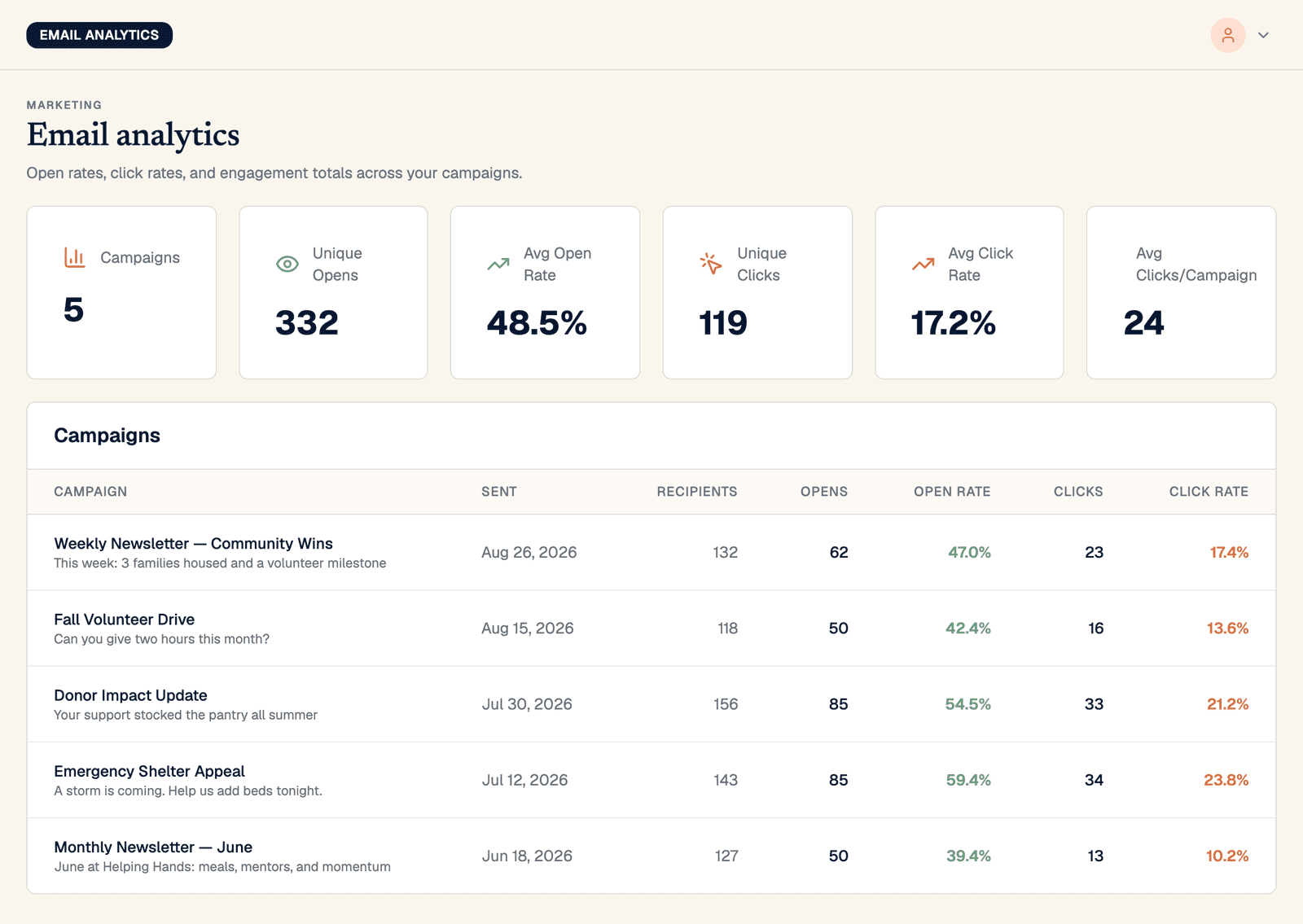
See what is working over time.
One page compares every campaign side by side. Each supporter also carries an engagement rating based on the last 12 months of opens and clicks, ready to use as a segment filter.
From blank page to scheduled, without leaving your CRM.
Five steps: details, design, recipients, schedule, review.
Your own domain
Email goes out from your organization's verified domain, with your from name and reply-to address.
Test first
Send a test to up to three addresses before the real thing.
Now or later
Send right away, or schedule a date and time.
Unsubscribe built in
Every campaign carries an unsubscribe link and supports one-click unsubscribe.
Email delivery at cost.
The builder, segments, and analytics are part of every Advocora subscription. Delivery is passed through at cost, with no markup.
Common questions about email.
Do I still need a separate email marketing tool?
No. The builder, lists, segments, sending, and analytics are all inside Advocora, working from the same contact records as your gifts and memberships.
What does email cost?
The email tools are included in the $249/month subscription. Delivery is passed through at cost: $1.30 per 1,000 emails sent, with no markup.
How is AI billed?
AI use is metered and billed monthly for what your organization uses. There is no separate AI subscription, and you can build and send email without using AI at all.
Does the AI send anything on its own?
No. It writes and designs a draft and helps you revise it. A person reviews every email and sends it.
Where does the AI get its facts?
From you. It works from what you type or paste in, plus what Advocora already knows about your organization: your logo, colors, brand voice, mailing address, donation forms, and events.
Does email come from our own domain?
Yes. Campaigns are sent from your organization's verified domain. One subscription covers up to three verified sending domains.
Can we email only the supporters in one legislative district?
Yes. Segments can filter by state, county, state house district, state senate district, and congressional district.
What happens when someone unsubscribes or an address bounces?
They are removed from every future send automatically. Each list shows how many members are subscribed, unsubscribed, and bounced.
Can we use the builder for receipts and membership emails?
Yes. Gift receipts, membership confirmations, renewal reminders, and subscriber welcome emails are templates in the same builder as your newsletters.
Why is our open rate lower here than in our old tool?
It may be more accurate. Many tools count automatic opens from Apple Mail and Gmail as if a person read the email. Advocora shows human and automated opens separately, so you can see both figures.
See your next appeal come together on a call.
Book a 30-minute demo. We'll build a segment from giving data, draft an email with AI, and walk through the report it produces.